
Paid social video
Creatify vs. Arcads: Which AI Video Ad Generator Is Better for Testing?
Creatify favors product-led automation and high-volume creative variation, while Arcads focuses on actor-led UGC videos. Here is how to choose based on your testing workflow, budget, product, and production needs.
By MillsGuild Editorial ·
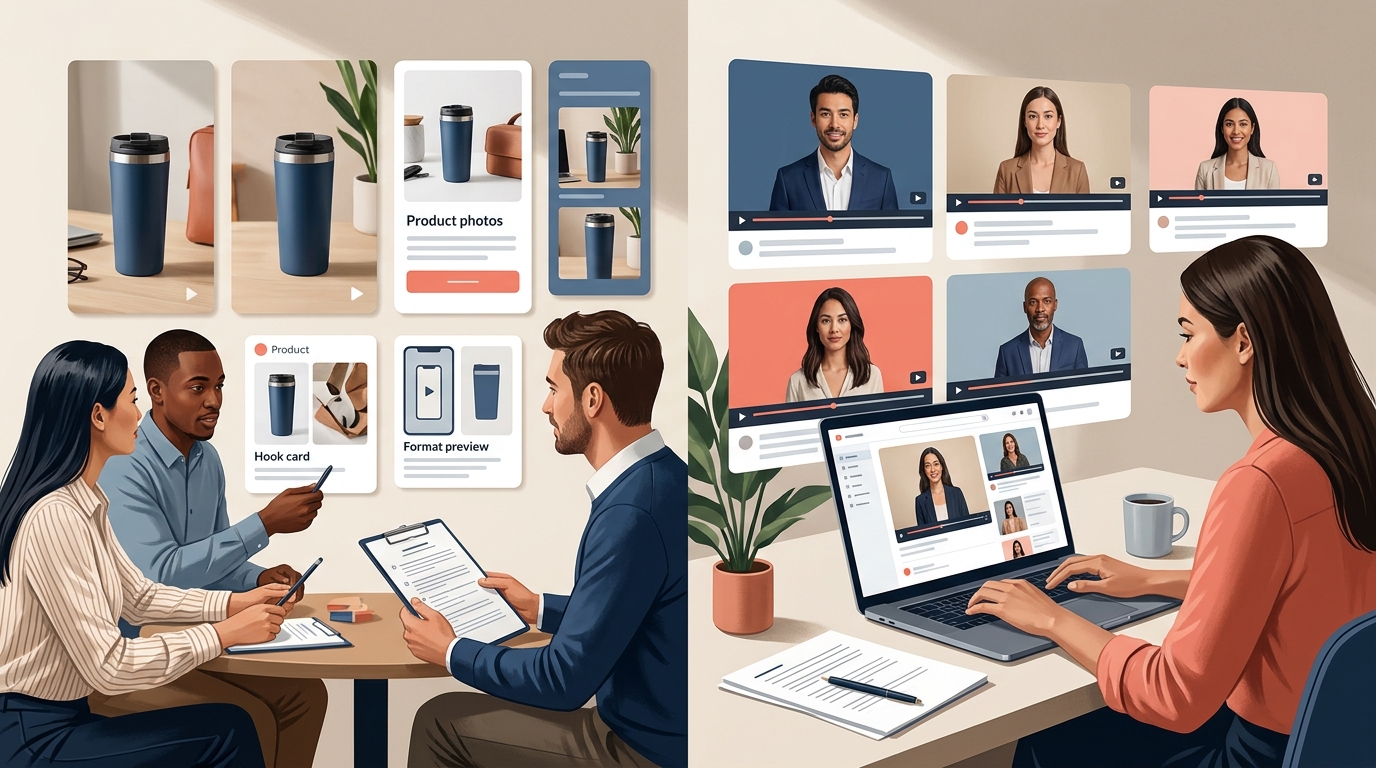
Creatify vs. Arcads: Which AI Video Ad Generator Is Better for Testing?
Creatify and Arcads are built around different production problems. Creatify is oriented toward turning product information into complete advertising creatives and producing variations. Arcads is more focused on script-led videos featuring synthetic actors.
That distinction matters when you are testing ads. A store selling physical products may need to vary hooks, product visuals, formats, and calls to action. A software company may care more about how different presenters deliver the same message.
Neither platform guarantees stronger performance. The useful question is which one lets your team create, review, and compare the variations that matter without creating more production work than the test is worth.
Creatify vs. Arcads at a glance
| Category | Creatify | Arcads |
|---|---|---|
| Primary workflow | Product URL or creative brief to ad concepts | Script to actor-led video |
| Strongest fit | E-commerce products and product-led creative testing | Testimonials, apps, services, and dialogue-led offers |
| Main testing variable | Hooks, scripts, formats, templates, and product presentation | Actors, voices, and delivery styles |
| Physical product support | Product imagery and product-focused compositions | Supports some product-in-hand workflows, but output still requires inspection |
| Editing workflow | Covers more of the ad-assembly process | Can provide presenter footage and other ad assets, though additional editing may still be useful |
| Pricing transparency | Current plans and credit allowances should be checked on the official site | Pricing and credit terms may require account access |
| Main limitation | Generated variations still require strategic review and visual inspection | Revisions and external editing can increase the cost of testing |
Short verdict: Creatify is the more natural starting point for product-led and high-volume testing. Arcads is worth considering when presenter performance is the main creative variable. Test both with a representative script before committing to a larger plan.
What makes an AI video tool useful for testing?
Generating a video is not the same as generating useful test data.
A controlled test changes one or two deliberate variables, such as:
- The opening hook
- The audience problem
- The spokesperson
- The offer or call to action
- The product demonstration
- The visual format
If every version changes the script, actor, background, pacing, and offer at the same time, the results will be difficult to interpret. You might find a video that performs well, but you will not know which change contributed to the result.
A useful testing tool should help you produce variations with consistent settings, keep files organized, and make review straightforward. Generation speed matters only when the resulting clips are distinct enough to teach you something.
The platforms differ mainly in emphasis. Creatify is designed to assemble a broader ad creative. Arcads puts more attention on the person delivering the message.
An effective workflow should also cover planning, generation, review, and publishing. Those steps are easy to overlook when comparing generators by output quality alone.
Creatify: A practical fit for product-led testing
Creatify is built around advertising workflows. Its URL-to-video feature can use a product page as a starting point for a script and video, reducing the amount of product information a marketer has to enter manually.
That can be useful for small e-commerce teams. Product descriptions, images, and selling points already exist on the product page, so the page can serve as a first brief. The resulting script still needs to be checked. Product pages may contain outdated prices, temporary promotions, or claims that should not appear in an advertisement.
Creatify also promotes batch-oriented tools that can combine scripts, avatars, templates, and formats. This gives it a useful workflow advantage when a team wants to test several versions of a product ad without setting up every asset from scratch.
Where Creatify can help
Testing hooks at scale
Suppose you sell an insulated travel mug. You could keep the product, offer, narrator, and call to action consistent while testing hooks such as:
- Your coffee should not be cold before your first meeting.
- This mug is built for commuters who forget their coffee.
- Stop reheating the same cup three times every morning.
A batch workflow is well suited to this type of test. The important discipline is to keep the versions meaningfully different while avoiding unnecessary changes to the rest of the ad.
Starting from a product page
The URL-to-video workflow is most relevant to physical products. Product photos, descriptions, and selling points on the page can inform the initial concept.
Treat the import as a draft rather than a source of truth. Check prices, product specifications, availability, testimonials, and performance claims before publishing. If the product page is poorly organized, the generated script may need substantial editing.
Keeping the product visible
Creatify promotes product-oriented templates and product-in-hand style compositions. These may help when the product needs to remain visually central to the ad.
AI-generated product interactions still require close inspection. Packaging text, labels, logos, proportions, and hand placement can look incorrect. If a demonstration depends on accurate use of the product, real footage may be safer. AI can still assist with the script, captions, narration, resizing, and supporting scenes.
Handling more of the ad assembly process
Creatify presents a broader advertising workflow than a tool that only generates an actor clip. Depending on the plan and current product version, that may include captions, templates, creative research, and campaign-related features.
Feature availability changes, so confirm the current plan details on the official website. For a lean team, the potential benefit is fewer handoffs between the brief, script, avatar, editor, and ad platform.
Where Creatify needs supervision
A large batch can still represent one weak idea repeated many times. Changing five avatars while retaining the same unclear promise is not the same as testing five creative concepts.
Review each output for:
- Accurate product claims
- Distorted product images
- Unnatural gestures or timing
- Caption errors and mispronunciations
- An opening that works without sound
- Compliance with the rules of the destination platform
Creatify is best treated as a production assistant. It does not replace creative judgment, product review, or performance analysis.
Set brand rules for voice, visuals, claims, and approvals before generating a large batch. That makes review more consistent and limits avoidable revisions.
Arcads: A candidate for presenter-led creative
Arcads centers its workflow on script-to-video generation with synthetic actors. The usual starting point is a prepared script rather than a product URL.
This makes the tool most relevant when a person speaking directly to the viewer carries much of the message. Examples include:
- A testimonial-style introduction
- A founder-style explanation
- A mobile app recommendation
- A lead-generation ad
- An explanation of a software product or service
A paused frame is not enough to judge an AI actor. Pacing, eye movement, pronunciation, emotional tone, lip synchronization, and the fit between the actor and the audience all affect the finished result. Performance quality can also vary by script length and actor selection.
Where Arcads can help
Comparing presenters
A spokesperson can change how viewers interpret the same words. One actor may make a script feel casual, while another may make it sound more formal or sales-oriented.
Arcads is therefore a logical option when the test holds the script constant and compares presenter variables such as vocal style, energy, apparent age, or delivery. Demographic testing should be used to understand communication fit rather than to reinforce assumptions about an audience.
Explaining dialogue-led offers
Some offers do not require a detailed physical demonstration. A scheduling app, online course, newsletter, agency service, or downloadable resource may be explained through direct speech supported by screen recordings and captions.
For these use cases, the ability to produce presenter-led footage may be more relevant than product-page automation.
Providing material for an external edit
A team can use the presenter segment alongside interface recordings, product screenshots, customer-approved evidence, captions, and other assets. This provides more editorial control, but adds another step to the workflow.
Account for the time needed to edit, caption, review, export, and publish the clip. The generator's price is only one part of the cost per usable variation.
Where Arcads needs caution
Arcads documents product-in-hand and app-on-phone workflows, but generated interactions should still be inspected for accuracy. If the audience needs to see real packaging, texture, size, application, or operation, supplementary footage may be necessary.
Pricing also requires careful checking. Public information may not provide a stable, complete price list, and third-party estimates can become outdated. Review the current in-app terms before building a testing budget.
Ask about:
- How credits are consumed by video length
- Whether failed renders are refunded
- Whether revisions use the same generation allowance
- Whether unused credits expire
- Which plans include custom actors or API access
- Whether a preview is available before final generation
Those details can affect the true cost of a usable variation more than the headline monthly price.
Which platform is cheaper for creative testing?
Creatify appears better suited to high-volume experimentation because its product workflow and batch-generation features are designed around producing multiple ad variations. Current prices, credits, and limits can change, so confirm them on Creatify's official website before subscribing.
Arcads is harder to compare from public information when pricing and credit rules are gated behind account access. Do not treat third-party figures as a current price list. Check the terms shown for your account and intended plan.
A more useful comparison is cost per usable variation:
Monthly tool cost + editing cost + labor cost ÷ number of usable test videos
Include failed generations, revisions, caption fixes, and external editing. If you generate 20 clips but only eight are suitable for publication, eight is the relevant denominator.
Also distinguish between a video and a variation. Changing a caption color does not necessarily create a new messaging test. A useful variation changes a deliberate element such as the hook, angle, offer, visual proof, presenter, or call to action.
How to run a fair Creatify vs. Arcads test
A comparison should use the same offer and a closely related script set. Otherwise, you are measuring different creative ideas rather than the platforms.
Step 1: Choose one hypothesis
For example:
A problem-first hook will hold attention better than a feature-first hook.
A clear hypothesis identifies what will change and what you expect to learn. “Make the ad more engaging” is too broad to guide a useful test.
Step 2: Prepare controlled scripts
Create two versions that differ mainly in the opening:
Version A, problem-first:
Still rebuilding the same weekly report by hand?
Version B, feature-first:
This reporting tool turns your campaign data into a weekly summary.
Keep the body, offer, duration, and call to action as similar as possible.
Step 3: Generate comparable videos
Use similar presenter profiles, aspect ratios, caption styles, and durations. Do not publish one platform's carefully edited final ad beside the other platform's untouched first draft.
If Arcads supplies only the presenter footage, include the external editing time. If Creatify supplies more of the finished ad, record how much cleanup is still required.
Step 4: Review before distribution
Check visual errors, unsupported claims, pronunciation, captions, unnatural pauses, and platform requirements. Synthetic-media labeling and advertising requirements can differ by platform and market, so review the current rules before launching a campaign.
Step 5: Measure learning, not just volume
Match the metric to the hypothesis. Hook tests may focus on early retention or click behavior. Offer tests may require conversion data. Presenter tests need enough impressions to reduce the risk of treating random variation as a meaningful result.
Neither platform guarantees lower acquisition costs, higher return on ad spend, or more sales. Their value is reducing parts of the production burden so a team can test ideas consistently.
Track hooks, retention, clicks, and conversions against the hypothesis rather than treating raw output volume as the result.
Which tool should you choose?
Choose Creatify if:
- You sell physical products with useful product pages and images.
- You need multiple hook, script, or format variations.
- You want more of the ad assembly process in one platform.
- Product visuals matter as much as the spokesperson.
- Batch production is more important than maximizing presenter realism.
Consider Arcads if:
- Your ads depend on direct-to-camera delivery.
- You sell software, services, apps, or other dialogue-led offers.
- You want to compare presenters using a similar script.
- You already have an editing and publishing workflow.
- You are prepared to examine generation and revision costs closely.
Consider using neither as your only production tool if:
- Accurate hands-on product demonstration is essential.
- Your brand requires real customers, founders, or credentialed experts on camera.
- Your claims require evidence that an AI testimonial format could misrepresent.
- You need one system for research, production, publishing, and performance review.
Real footage and AI assistance can be combined. A small business might record genuine demonstrations, then use AI for scripts, captions, resizing, voice cleanup, supporting visuals, and distribution planning.
The overlooked issue: What happens after generation?
A video generator addresses only one part of testing. The asset still needs to be reviewed, organized, edited, published, measured, and connected to the next decision.
This is where tool sprawl can become a problem. Scripts may live in one system, generated clips in another, final edits in a third, and publishing data somewhere else. Fast generation does not help much if the team cannot trace a video back to its hypothesis.
Use a simple naming system such as:
Product_Audience_Angle_Hook_Version
For example:
ReportingApp_AgencyOwners_TimeSaving_ManualReports_V2
Keep a test log with the hypothesis, script, generation tool, editing time, publication date, placement, and result. That turns a folder of AI videos into a repeatable learning process.
If your team wants to connect research, short-form creation, publishing workflows, and performance-informed recommendations, Start creating with MG Social Studio. Results vary. AI-generated recommendations and content should be reviewed before publishing.
Frequently asked questions
Is Creatify better than Arcads?
Creatify is usually the better fit for product-led ads and high-volume variation. Arcads is more specialized for actor-led videos. The choice depends on whether your main test concerns complete ad concepts or presenter delivery.
Is Arcads better for realistic AI UGC?
Arcads is focused on synthetic actors and direct-to-camera performances, making it relevant to UGC-style concepts. Realism can vary by actor, script, voice, and duration. Review a representative sample before committing to a larger plan.
Can Creatify make ads from a product URL?
Creatify promotes a URL-to-video workflow that uses information and media from a product page to begin creating an ad. Verify imported claims, prices, and product details before publication.
Which platform is better for physical products?
Creatify is generally the more suitable starting point because its workflow is centered on product pages, product imagery, templates, and product-focused ad creation. Inspect AI-generated product interactions for visual errors.
Which platform is better for testing multiple hooks?
Creatify's batch-oriented workflow makes it a strong option for producing multiple hook and script variations. Keep other variables consistent if you want interpretable results.
Do Creatify or Arcads replace a video editor?
That depends on the ad. Creatify covers more of the assembly workflow, but its outputs may still need correction. Arcads can provide presenter-led footage and other assets, but teams may still combine those outputs with captions, screen recordings, product shots, and other assets in an editor.
Sources
- Creatify official website
- Creatify pricing
- Arcads official website
- Arcads FAQ
- Arcads pricing and credit rules
- Arcads AI actors and product workflows
- MG Social Studio
Pricing, credit rules, available models, integrations, and generation features can change. Confirm current terms directly with each provider before purchase or publication.