Video Editing Tools
Descript vs. CapCut: Which AI Video Editor Fits Your Small Business Workflow?
Descript is built around editing spoken video through a transcript, while CapCut emphasizes fast, visual production for social platforms. This comparison explains the workflow, AI, pricing, and licensing tradeoffs small businesses should consider.
By MillsGuild Editorial ·
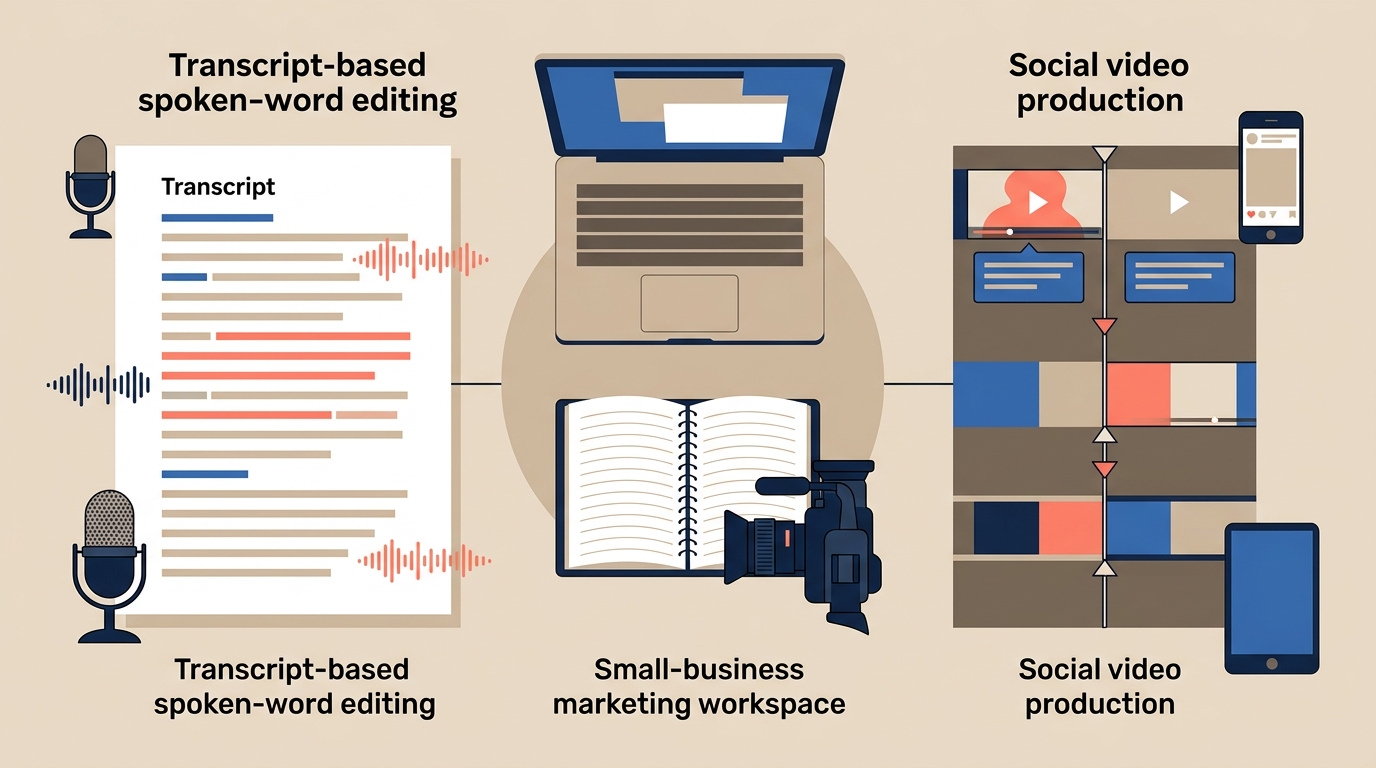
Descript vs. CapCut: Which AI Video Editor Fits Your Small Business Workflow?
Descript and CapCut can both help a small business turn raw footage into marketing content. The better choice depends less on the number of features each app lists and more on where your production process slows down.
If the difficult part is finding, cutting, and reorganizing spoken material, Descript is usually the more natural starting point. Its transcript-based editing suits podcasts, interviews, webinars, tutorials, customer stories, and talking-head videos.
If the message is already clear and the remaining work involves captions, motion, music, transitions, and social formatting, CapCut is often faster. Its timeline and template-driven workflow are designed for short, visually active content.
Some teams use both. Descript can handle the editorial cut, while CapCut adds platform-specific visual treatment. That arrangement may be useful, but it also adds another export, project library, subscription, and licensing review.
Descript vs. CapCut at a glance
| Decision factor | Descript | CapCut |
|---|---|---|
| Editing approach | Transcript-first editing | Visual timeline editing |
| Strongest use case | Interviews, podcasts, webinars, tutorials, and talking-head videos | Reels, Shorts, TikToks, product clips, and short advertisements |
| Main time saver | Finding and restructuring dialogue as text | Applying captions, effects, templates, and social layouts |
| Audio work | Strong focus on speech cleanup and dialogue editing | Useful audio tools within a visual production workflow |
| Visual work | Best for straightforward layouts and supporting media | Stronger for layered effects, transitions, motion, and rapid visual changes |
| AI focus | Transcription, cleanup, editing assistance, and repurposing | Captions, background tools, templates, generated assets, and formatting |
| Main limitation | Less comfortable for effect-heavy edits | Less convenient for reorganizing long spoken recordings |
| Business review | Check stock media terms and AI settings | Check user-content terms and music permissions before commercial use |
Start with the bottleneck, not the feature list
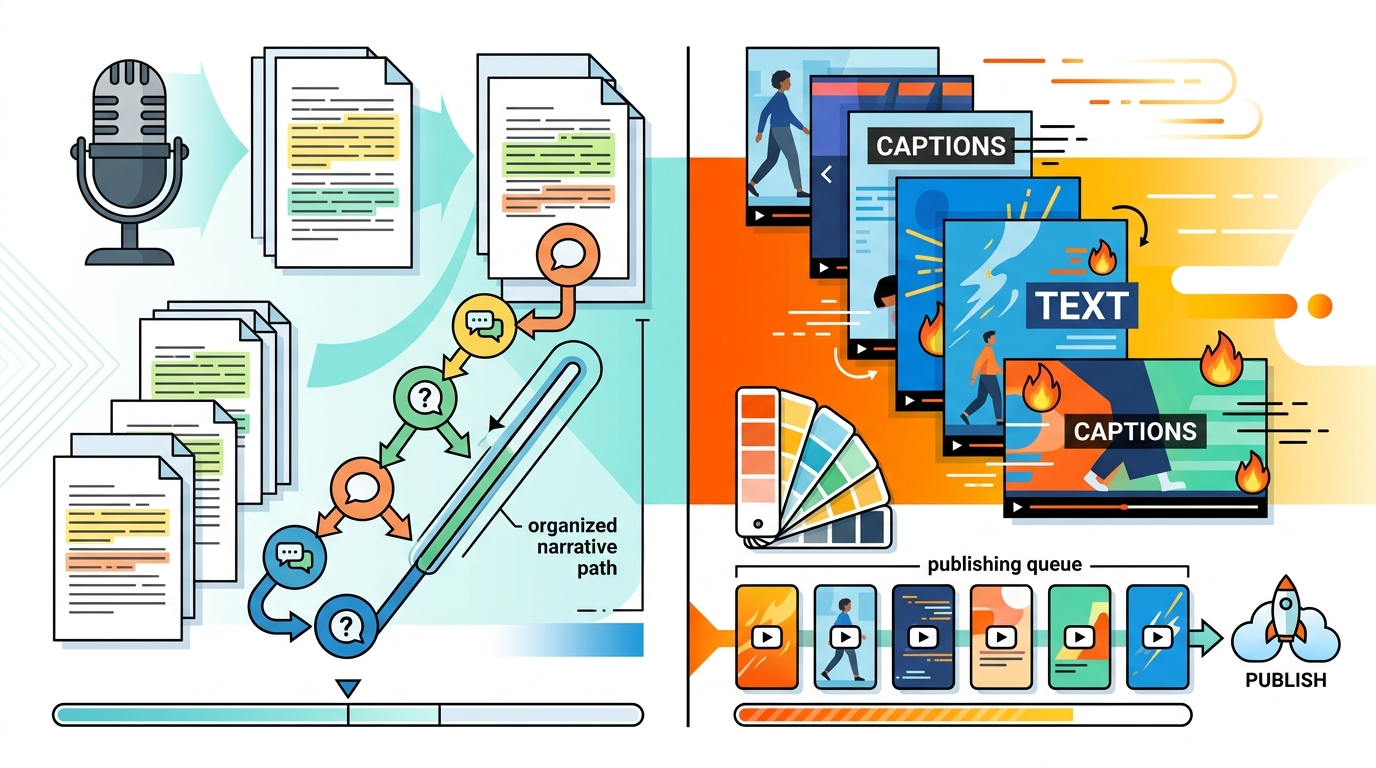
The central difference is that Descript makes dialogue decisions easier, while CapCut makes visual decisions easier.
Descript is built for spoken content
Descript generates a transcript from recorded or uploaded media. Editing the words in that transcript changes the corresponding audio and video. An editor can search for a phrase, remove a repeated answer, move a section earlier, or shorten a recording without relying entirely on waveform browsing and timeline scrubbing.
That is particularly useful when the person reviewing the material understands the subject but is not a trained video editor. A marketing manager can read an interview, identify the strongest explanation, and make a structural cut before spending time on captions or visual polish.
Descript also provides tools for captioning, filler-word removal, speech enhancement, clip extraction, and other forms of AI-assisted cleanup. Its Underlord assistant can accept editing instructions through prompts. These features can speed up a first pass, but they do not replace editorial review. An automated clip may be clean and technically complete while still missing context or a convincing opening.
CapCut is built for visual assembly
CapCut uses a conventional timeline and emphasizes fast visual production. Its tools include templates, caption styles, transitions, effects, background tools, and social-oriented formatting.
That makes it a practical choice when the starting point is a visual brief. A retailer might combine phone footage, product close-ups, text overlays, music, and transitions. A consultant might turn a short tip into a vertical video with animated captions. A small advertising team might create several versions of an existing clip with different layouts and pacing.
CapCut can import longer recordings, but the workflow becomes less convenient when the main job is locating and rearranging specific sentences in an hour-long conversation. The editor is making those decisions directly on the timeline rather than through a linked transcript.
Which editor fits common marketing work?
Podcast and webinar repurposing: Descript
Descript is generally the better first step when one long recording must become several focused assets. The transcript makes it easier to remove digressions, compare answers, and build a coherent narrative.
It also gives a team a useful review point. The spoken content can be approved before someone invests time in B-roll, branded layouts, and social captions. Descript can suggest or generate short clips, but each suggestion should be checked against the original recording. A passage that sounds self-contained may not represent the speaker's point fairly when removed from its surrounding discussion.
Frequent short-form publishing: CapCut
CapCut is a better fit when a business records short videos regularly and needs to publish them in visually polished formats. Templates and reusable caption treatments can reduce the time between recording and export.
That speed can also make branded content look generic. A popular template may help a team publish quickly, but relying on the same treatment as many other accounts can make the content look interchangeable. Templates work best as starting points rather than as a complete creative strategy.
Tutorials and thought leadership: Usually Descript
For founder videos, educational series, and software walkthroughs, clarity is often more important than visual complexity. Descript lets the team tighten the explanation, correct pacing, and remove distracting repetitions before adding supporting visuals.
CapCut may be the better finishing environment when the tutorial depends on detailed motion, rapid overlays, or carefully timed effects. Use Descript for the rough cut, then switch to CapCut when the tutorial needs detailed motion or effects.
Product montages and short advertisements: Usually CapCut
CapCut is well suited to combining product footage, text, music, transitions, and other visual elements into short promotional edits. Its visual workflow can make it easier to create variations from the same source material.
Editing capability and asset permission are separate questions, however. An asset available inside an editor is not automatically licensed for every advertisement, website, client deliverable, or social platform.
Confidential or client-owned recordings: Review the workflow before uploading
Agencies and businesses handling unreleased campaigns, customer interviews, or proprietary footage should review more than editing speed. Check the current terms, storage settings, deletion process, AI-training controls, and any promises made to clients.
Both companies distinguish ownership of uploaded work from the permissions required to operate their services. The practical implications depend on the applicable terms, region, and service version. That makes a current contract and privacy review more useful than a broad claim that one platform is universally safe or unsafe.
How the AI features differ
The AI tools in these products tend to support different stages of production.
Descript emphasizes editorial cleanup
Descript's AI features are most useful when a business already has worthwhile spoken material and wants to reduce repetitive editing work. Depending on the current plan, available tools may include transcript editing, filler-word and pause removal, speech enhancement, captions, eye-contact correction, voice generation or correction, short-clip extraction, and prompt-based editing through Underlord.
These tools can make a rough recording easier to use. They still require a person to check the wording, meaning, pacing, and tone. Audio cleanup cannot fix an unclear argument, and automated clip selection cannot reliably determine which moment best represents a brand or speaker.
CapCut emphasizes visual production
CapCut's AI tools are oriented more toward visual transformation and social-ready output. Its product materials promote features such as automatic captions, background removal, reframing, text-to-speech, script and video generation, digital presenters, generated assets, and template-based editing.
Those capabilities can help a small team produce variations without arranging a new shoot for every asset. Generated scripts, footage, and presenters should still go through fact checking, brand review, and any disclosure process required by the relevant platform or jurisdiction.
Pricing should be tested against a real month of work
Plan names, regional prices, platform allowances, and feature access can change. Check the live pricing pages before purchasing, then test the way each product measures usage.
Descript uses allowances that can include media minutes and AI credits. That structure may suit deliberate, edited recordings, but teams should estimate their monthly intake before choosing a plan. Raw interviews, guest recordings, retakes, and multi-track files can consume allowances even when the final videos are short.
CapCut's free and paid features can vary by platform, region, and asset. Some templates, effects, or exports may require a paid plan. Confirm the price through the purchasing channel the business intends to use instead of relying on an old comparison article.
A useful trial should resemble normal work. For example, a consultant could test one interview, two educational videos, and several short clips. A retailer could test a batch of phone-shot product videos with captions, music, and multiple aspect ratios. This reveals the cost of ingest, revisions, exports, and handoffs more clearly than a headline subscription price.
Commercial music and stock assets need their own review
CapCut's materials license distinguishes among asset categories and permitted platforms. Its Commercial Sounds rules identify specific uses and platforms, so permission should not be assumed to cover every website, social network, advertisement, or client deliverable.
Before publishing business content that uses in-app music:
- Identify the exact track and its license category.
- Check whether the intended platform and commercial purpose are covered.
- Save evidence of the applicable permission and the date reviewed.
- Replace the track when the permitted use is unclear.
The same process applies to stock media in any editor. Descript offers stock media through Storyblocks, but the business should confirm the terms for the chosen asset and planned distribution.
An editing application makes an asset easy to insert. It does not, by itself, clear the rights for every use.
When a hybrid workflow makes sense
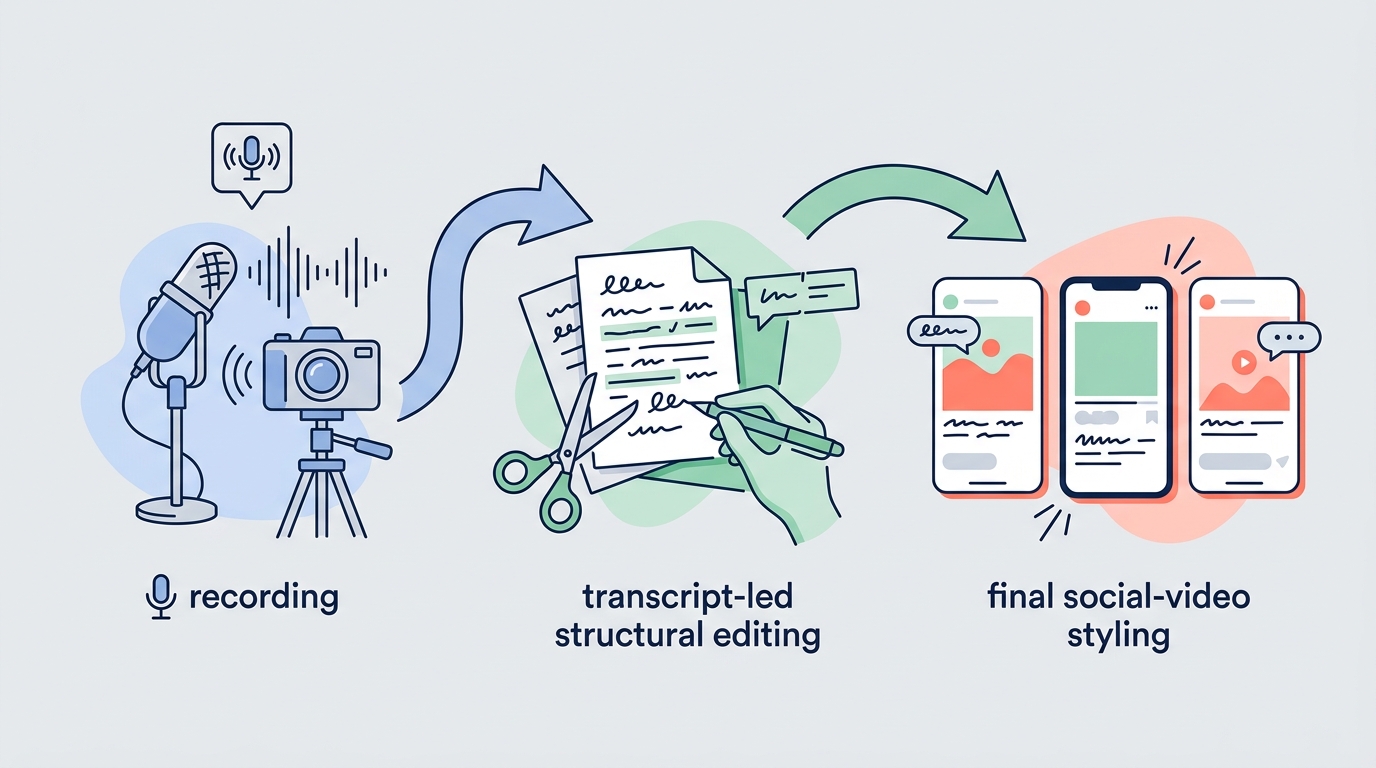
Using both tools can work when one substantial recording feeds several social assets. A typical process looks like this:
- Record an interview, webinar, podcast, or expert presentation.
- Use Descript to shape the narrative through the transcript.
- Clean the dialogue and create a reliable master version.
- Select passages that work as independent clips.
- Export those clips to CapCut when they need more visual treatment.
- Add platform-specific captions, motion, effects, and layouts.
- Check music and stock permissions before publication.
This workflow lets the team approve the message before styling each clip. It can prevent a team from polishing a clip before deciding whether the underlying material is worth publishing.
The tradeoff is operational overhead. There are more exports, another project library, and potentially two paid plans. A solo operator producing a few straightforward videos may save time by staying in one application.
How to choose between Descript and CapCut
Start with Descript when your recurring work begins with interviews, podcasts, webinars, presentations, or other spoken recordings. It is especially useful when non-editors need to review the message, dialogue is the main bottleneck, or one long recording must produce several assets.
Start with CapCut when the message is already clear and the recurring work is visual. It is a strong fit for short vertical videos, phone footage, animated captions, transitions, product montages, and rapid creative variations.
Use both when the source is long-form expertise and the destination is short-form social content. In that arrangement, Descript handles the editorial decisions and CapCut handles the final visual treatment.
For most small businesses, the right first purchase is the tool that removes the most expensive recurring delay. If employees spend hours locating usable statements in interviews, test Descript. If every social clip takes too long to style after the message is settled, test CapCut.
Frequently asked questions
Is Descript better than CapCut?
Descript is generally better for transcript-based editing, spoken content, and dialogue cleanup. CapCut is generally better for visual social editing, templates, effects, and rapid vertical-video production. Neither is the universal winner.
Can CapCut edit podcasts and long videos?
Yes. CapCut can edit long recordings, but Descript is usually more convenient when the main task is finding and reorganizing specific spoken passages.
Can Descript create short social clips?
Yes. Descript can extract and format clips from longer recordings. CapCut offers more visual options when those clips need animated treatments, trend-oriented effects, or complex layering.
Is CapCut safe for commercial use?
CapCut can be part of a business workflow, but commercial use requires a review of the current terms and the license attached to each music track, template, and stock asset. Do not assume that every in-app asset is cleared for every external platform or paid advertisement.
Should a small business pay for both?
Only when the business regularly produces long-form spoken content and visually polished social derivatives. Run a representative project through each tool before adding two subscriptions and another production handoff.
Sources
Sources
- https://www.descript.com/pricing
- https://feedback.descript.com/changelog/the-new-underlord-now-on-for-everyone-beta
- https://www.capcut.com/tools/online-video-editor
- https://www.capcut.com/tools/ai-video-editor
- https://www.capcut.com/clause/material-license-agreement
- https://www.capcut.com/clause/terms-of-service
- https://www.descript.com/terms
- https://help.descript.com/hc/en-us/articles/27204675401485-Stock-Panel