AI Video Buying Guides
Free AI Video Generators: The Real Limits on Credits, Watermarks, and Commercial Use
Free AI video generators can help you test models and prototype ideas, but many restrict credits, resolution, watermark removal, privacy, or commercial use. Here is how to read the fine print before publishing or monetizing an AI-generated video.
By MillsGuild Editorial ·

Free AI Video Generators: The Real Limits on Credits, Watermarks, and Commercial Use
A free AI video generator is useful for testing prompts, comparing motion quality, or creating a rough storyboard. Using one for a client campaign, monetized YouTube channel, or recurring social media workflow requires closer attention to the plan terms.
The main constraints are usually credit limits, watermarks, resolution caps, public generations, slow queues, and licensing rules. A tool can be free to try without granting the practical or contractual rights needed for commercial publication.
This guide explains what to check before choosing a platform. Plans and policies change frequently, so use the comparisons as a starting point and verify the current pricing page and terms before production.
Important: This is an editorial explanation of published platform policies, not legal advice.
The short answer: Are any AI video generators really free?
Several AI video platforms offer free access, but the offer may consist of:
- A one-time batch of trial credits
- Credits that refresh daily or monthly
- A small number of complete videos
- Low-resolution or watermarked exports
- Personal-use output without commercial rights
- Public generations that other users can view or reuse
A free plan can answer whether a model handles the motion, framing, or visual style you need. It may not establish whether you can publish the result repeatedly, remove the visible branding, or use it in advertising and client work.
Free AI video generator comparison
The table focuses on the restrictions that matter to creators and businesses. Because allowances and model access change, it does not present unverified current prices or treat every platform's free access as equivalent.
| Platform | What the free access is useful for | Main free-tier limitation | Commercial-use position |
|---|---|---|---|
| Canva | Trying AI-assisted video inside a broader design workflow | The available video features and allowances depend on the plan and AI tool | Canva's AI terms permit some commercial uses, but warn that generated content may not be exclusive |
| Runway | Testing short generative clips and Runway's interface | The free allocation is a limited, one-time pool of credits, and free exports include a visible watermark | Runway says it does not restrict commercial use of generated output, including output made on a free account |
| HeyGen | Evaluating avatar presentation and lip-sync workflows | Free output is tightly limited and branded | HeyGen's terms restrict free-plan output to personal, noncommercial, or evaluation use |
| Pika | Experimenting with short, stylized effects and animations | Free access is constrained by credits, export settings, and plan-specific branding | The current terms and plan description should be checked before assuming commercial rights or watermark-free downloads |
| Leonardo AI | Testing image-to-motion and other generative features | The platform's free-generation and ownership rules differ from its paid workflow | Leonardo's published explanation describes a nonexclusive commercial-use license for free users, while free creations are public under the platform's stated framework. The cited explanation concerns Leonardo's generative content generally, not a standalone guarantee for every video feature |
These offers involve different tradeoffs. Runway's stated commercial-use position may be broader than its free allocation is useful for. Leonardo's free workflow may be unsuitable for confidential material because its public-generation rule is platform-specific. HeyGen's terms present a clearer barrier for advertising and client work.
The phrase "free plan" does not identify the compromise by itself.
The six limits hidden behind “free”

1. Credits rarely equal usable finished footage
AI video platforms meter generation through credits, tokens, seconds, or a fixed number of videos. The published allowance can overstate the amount of finished footage you will obtain because video usually requires iteration.
One render may introduce distorted hands. Another may miss the camera direction. A third may get the movement right while changing the character's clothing or face. If a five-second product shot takes four attempts, the account has used resources for 20 generated seconds, not five finished seconds. Extending, upscaling, or regenerating the clip may require more credits.
When comparing plans, estimate the cost per acceptable second. A useful planning formula is:
usable clips ≈ total credit budget ÷ average credits per attempt ÷ average attempts per usable clip
That calculation is an estimate, not a platform guarantee. It helps distinguish a trial allocation from a workflow that can support recurring content.
2. A watermark can make technically usable footage commercially unsuitable
A visible watermark is a logo or label placed on the video. It can distract from an organic post and may be unacceptable in paid advertising or client work.
Cropping it out can damage the framing or reduce effective resolution. A third-party watermark remover also does not create commercial rights where none existed. Removing branding may itself conflict with the platform's terms.
There is a separate issue involving invisible provenance technology or embedded metadata. A video can have no visible logo while still carrying information that identifies it as synthetic. Therefore, “no watermark” should be clarified. It may mean no visible brand mark, not the absence of every provenance signal.
For business use, look for both a clean export and a license that covers the intended use.
3. Resolution caps affect more than sharpness
Free exports may be limited to lower resolutions than paid exports. A 480p or 720p clip can look acceptable in a small preview but lose detail after cropping, reframing, adding captions, or being recompressed by a social platform.
This matters when one horizontal generation must be adapted into vertical, square, and landscape formats. Cropping a lower-resolution source leaves fewer pixels for the final frame.
Before generating, check:
- Native export resolution
- Available aspect ratios
- Whether upscaling costs extra credits
- Whether an upscale retains the watermark
- Whether the license changes after upgrading
Upscaling can improve presentation, but it cannot reliably repair malformed motion or restore details the model never generated.
4. Queue restrictions can disrupt an automation workflow
Free users may receive lower processing priority. That may be acceptable during experimentation and less practical when a scheduled campaign requires several assets by a fixed deadline.
Queue time also affects iteration. Prompting works as a feedback loop: generate, inspect, revise, and generate again. Long waits between attempts make production less predictable.
For recurring content, record turnaround time alongside generation quality. A visually strong model may not be the best operational choice if it cannot deliver within your publishing schedule.
5. Commercial use is separate from access and ownership
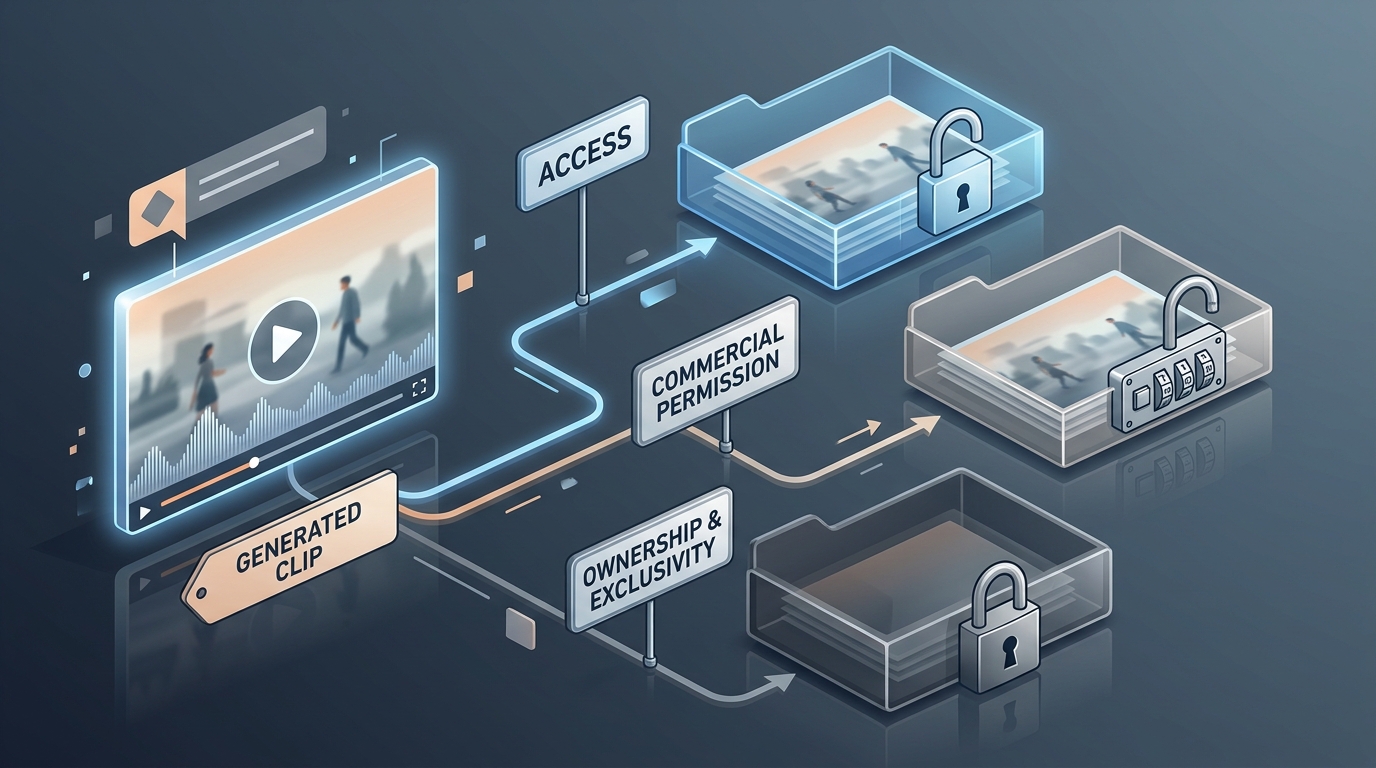
Three questions are often treated as one:
- Can I generate the video?
- Can I use the video commercially?
- Do I own exclusive rights in the video?
The answers can differ.
A platform may let you generate and download a clip while limiting it to personal use. Another may permit commercial use through a nonexclusive license without transferring ownership. A third may disclaim ownership of your output while imposing restrictions involving prohibited content, third-party rights, or uploaded source material.
Runway's terms of use state that it does not restrict commercial use of generated output. That permission does not protect a user who uploads material they had no right to use, and it does not make a limited free allocation suitable for ongoing production.
Leonardo AI's commercial-use explanation describes a nonexclusive license for free users and public free creations within Leonardo's stated framework. The source discusses AI-generated images and should not be read as a complete statement of rights for every Leonardo video feature.
A public, nonexclusive workflow may be acceptable for generic experiments. It is a poor fit for confidential product concepts, unreleased campaigns, or distinctive brand assets unless the current platform terms clearly provide the necessary privacy and rights.
6. “Commercial use” covers more than direct sales
Depending on the wording of the plan, commercial activity can include:
- A monetized YouTube video
- A sponsored TikTok or Instagram post
- A paid advertisement
- A video delivered to a client
- Product footage on an ecommerce page
- Lead-generation content for a business
- Assets used by an agency in a campaign
An organic company post may still be commercial if it promotes a business, service, or product. When terms limit output to personal, internal, or evaluation use, do not place it in a revenue-related campaign without confirming the appropriate license.
Can you use free AI-generated video on YouTube?
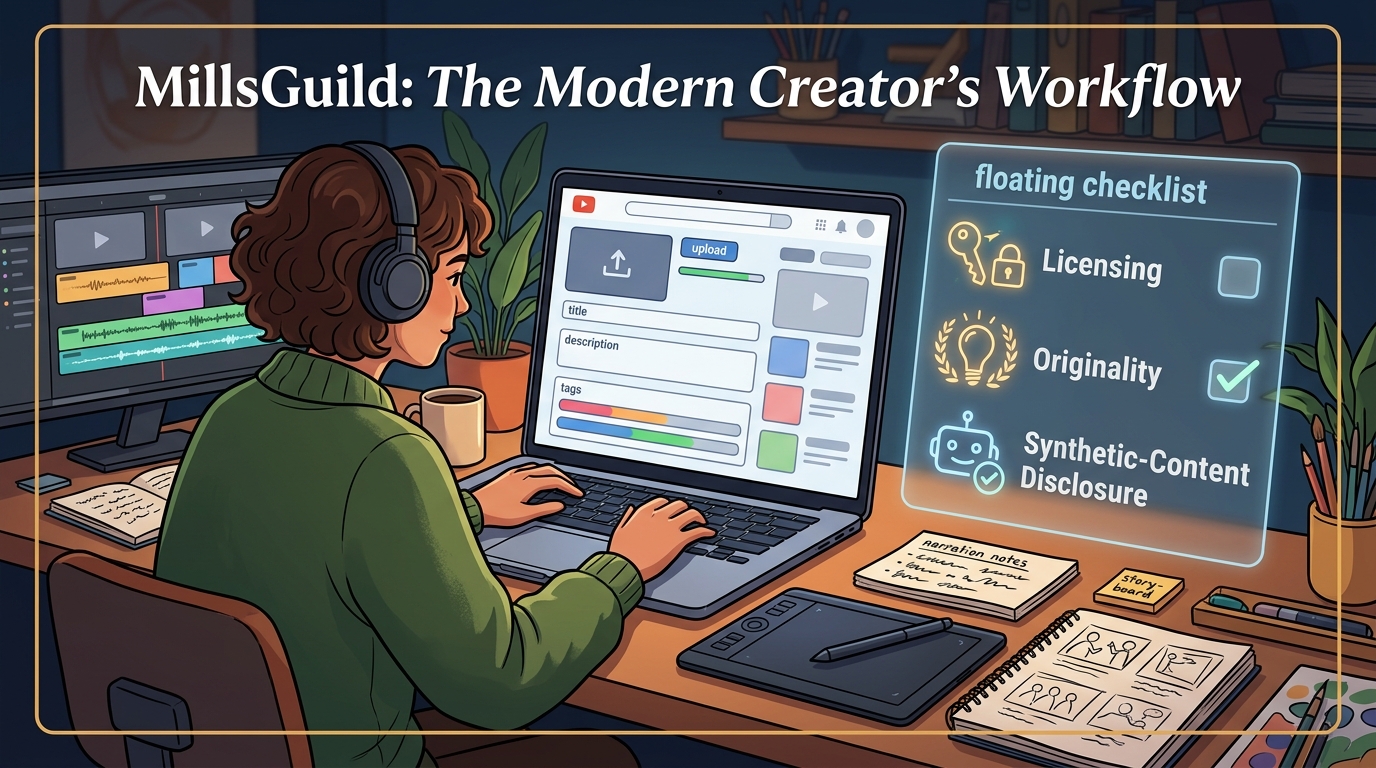
There are two separate permission layers.
First, the AI video provider must allow the intended use. If its free-plan terms prohibit commercial use, monetizing the output on YouTube may conflict with the provider's license even if YouTube accepts the upload.
Second, the channel must comply with YouTube's policies. YouTube does not automatically exclude a video because AI was involved, but its channel monetization policies scrutinize repetitive, mass-produced, or minimally transformed content. A channel built from near-identical clips with generic narration may therefore have monetization problems regardless of the generator.
Realistic synthetic or altered material may also require disclosure when viewers could mistake it for a real person, place, or event. YouTube's disclosure guidance explains when creators must disclose realistic altered or synthetic content.
A stronger YouTube workflow uses generated footage as one part of an original production. Reporting, analysis, instruction, storytelling, human narration, purposeful editing, or another clear layer of value can make the finished work more distinctive.
Which free platforms are the most practical?
The right choice depends on what you are trying to validate.
For testing cinematic text-to-video
A limited Runway account can help you evaluate prompt adherence and motion generation. Runway's published commercial-use position is more permissive than platforms that reserve commercial rights for paid plans. The one-time credit pool and visible watermark still make the free account better suited to evaluation than ongoing production.
For testing avatar videos
HeyGen's free access can demonstrate whether an avatar format suits training, sales, or localization content. However, HeyGen's terms restrict free-plan output to personal, noncommercial, or evaluation purposes. A successful test should be regenerated or exported under a plan that covers the intended business use.
For a design-centered workflow
Canva can be convenient when generated clips need to be combined with brand templates, text, music, and other design assets. Its AI product terms warn that generated content may not be exclusive. Feature availability and allowances vary by AI tool and subscription, so check the current plan description before relying on a particular model or quota.
For public experimentation
Leonardo can be useful when public visibility and nonexclusive rights are acceptable. The platform-specific public-generation rule means it should not be the default for confidential client material or an unreleased brand concept. Its published commercial-use explanation is focused on image licensing, so confirm the terms for the video feature you intend to use.
For social effects and stylized clips
Pika is designed for short transformations and effects. Review its terms and current plan description together. Do not assume that a free or entry-level plan includes both commercial rights and unwatermarked downloads.
A better way to compare AI video plans
Start with the deliverable rather than the subscription price.
For each tool, record the following:
| Question | Why it matters |
|---|---|
| How many generations will one finished video require? | Failed attempts consume part of the available budget |
| Do credits refresh? | A one-time trial cannot support recurring production |
| What is the native export resolution? | Low-resolution footage is harder to crop and repurpose |
| Is there a visible watermark? | Branded output may be unsuitable for clients and advertisements |
| Is commercial use permitted on this exact plan? | Download access does not establish a commercial license |
| Are generations public by default? | Public output can expose campaign ideas or brand assets |
| Is the license exclusive? | A nonexclusive license may allow similar output elsewhere |
| What happens after cancellation? | Previously generated assets may be subject to continuing terms |
| Are uploaded images and footage covered? | A generator cannot give you rights to source material you do not own |
This produces a more useful comparison than a list of model names and headline prices. Save the relevant pricing and terms pages with the date checked because plan language can change.
A low-risk workflow for businesses and creators
Use the free tier for preproduction. Test prompts, camera language, visual styles, and model reliability before paying.
Once you find the right platform, confirm the plan's license before creating final assets. Save a copy of the relevant terms, pricing page, invoice, and project date. That record helps show which terms applied when the asset was generated.
Keep client and brand inputs out of public-generation systems unless you have approval. This includes unreleased product images, customer data, private presentations, and identifiable people who have not consented to synthetic use.
Edit the output before publication. Generated clips usually work best as raw material rather than finished marketing assets. Add deliberate pacing, accurate claims, accessible captions, brand-safe audio, and a clear narrative. Automation can reduce repetitive production work, but it does not replace editorial review.
FAQ
Is there a completely free AI video generator without a watermark?
Some tools may offer clean exports for particular features or promotions, but ongoing high-resolution generation without credit limits or licensing tradeoffs is uncommon. Check whether “no watermark” means no visible logo and whether commercial use is included.
Can I remove an AI video watermark and use the clip commercially?
Removing a watermark does not grant a license. If the free plan limits output to personal use, editing out the logo does not change that restriction and may create an additional terms violation.
Can I monetize Runway videos made on the free plan?
Runway says it does not restrict commercial use of generated output, including output created on a free account. Its free exports include a visible watermark, and the free credit allocation is limited and one-time. You must also have rights to any images, footage, trademarks, or other material used as input.
Can I use a free HeyGen video in an advertisement?
HeyGen's terms restrict free-plan output to personal, noncommercial, or evaluation purposes. Check the current terms and the paid-plan license before using an avatar video in advertising or client work.
Who owns a free AI-generated video?
There is no universal answer. Platforms use different contractual frameworks. Some disclaim ownership of output, while others retain specified rights and give free users a nonexclusive license. Leonardo's cited commercial-use explanation concerns image licensing and should not be treated as a complete answer for every video feature. Contractual ownership also does not guarantee that a purely generated asset is legally exclusive.
Are AI-generated videos allowed on YouTube?
AI-assisted videos can be uploaded and may be monetized, but the generator's license must permit the intended use. YouTube may require disclosure for realistic synthetic material and can reject repetitive or mass-produced content from monetization.
The practical buying decision
A free AI video generator is best treated as a prototype environment. It can show whether a model understands your prompts and whether its style fits the project.
For published business content, compare the number of usable iterations, export quality, privacy, and license terms. The headline credit allowance is only one part of that decision.
A paid month may be worthwhile when it supplies the rights and export settings a project needs, but the value depends on the platform, the deliverable, and the amount of iteration required. Check the current terms before committing to a production workflow.
Sources
Sources
- https://runway.com/terms-of-use
- https://runway.com/pricing
- https://www.heygen.com/terms
- https://www.canva.com/policies/ai-product-terms/
- https://leonardo.ai/news/can-you-use-ai-generated-images-commercially
- https://pika.art/terms-of-service
- https://support.google.com/youtube/answer/1311392?hl=en-EN
- https://support.google.com/youtube/answer/14328491?hl=en