research to publishing workflow
Why an Integrated AI Content Creation Workflow Beats Tool-Hopping
An integrated research-to-publishing workflow keeps context, assets, approvals, and performance insights connected. Here is how to reduce tool-hopping without giving up useful specialist software.
By MillsGuild Editorial ·
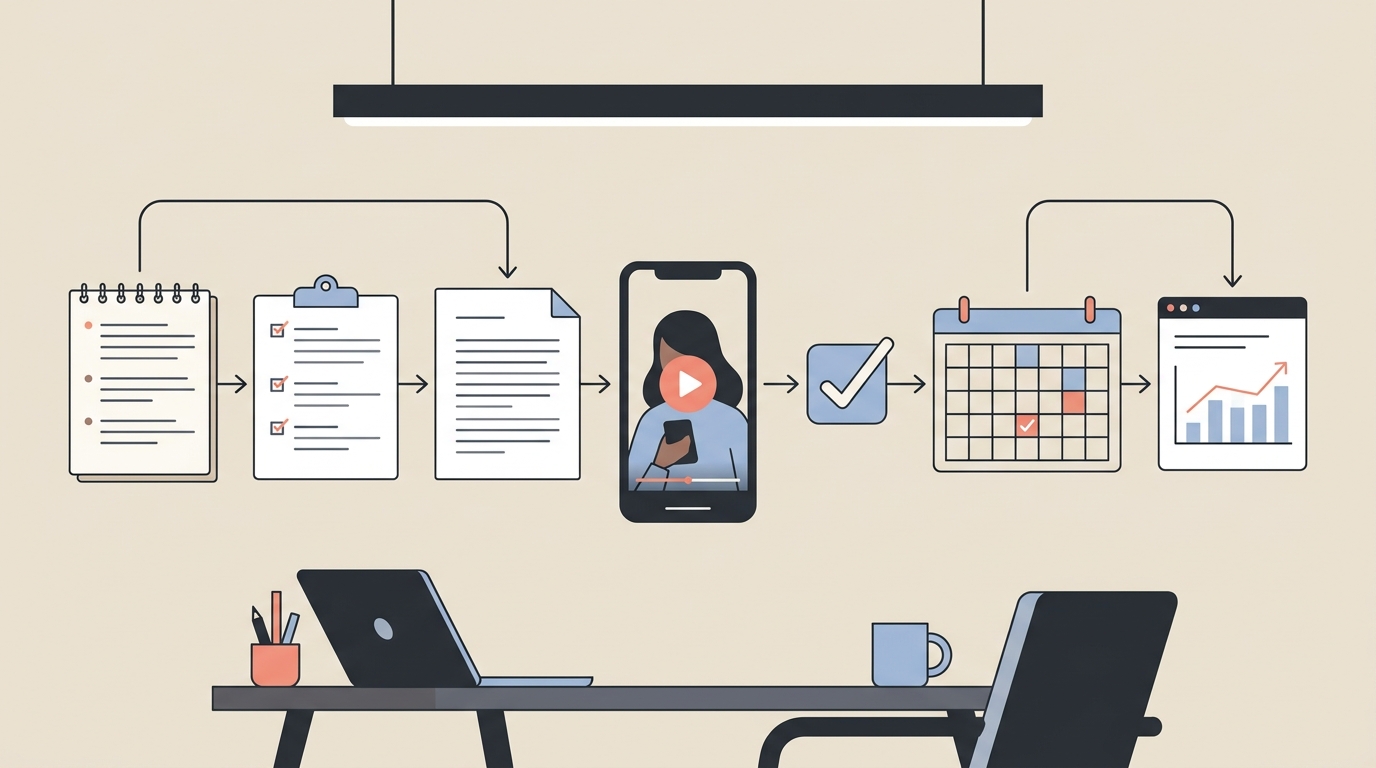
A typical AI content stack looks efficient on paper. One tool finds topics. Another drafts scripts. A third generates video. A design app handles graphics, while a scheduler publishes the final post.
Then the real work begins.
Research has to be copied into the writing tool. Brand instructions must be entered again. Scripts move into the video generator, filenames multiply, and edits get tracked in messages or spreadsheets. When a post performs well, the results live somewhere else entirely.
Each application may save time within its own narrow task. The complete process can still be slow, fragile, and difficult to improve.
An integrated AI content creation workflow addresses that problem through continuity. Research, creation, review, publishing, and learning remain connected. Its advantage is not that every feature will be more powerful than every specialist tool. It is that the project retains its context as it moves forward.
What is an integrated research-to-publishing workflow?
An integrated workflow connects the stages required to turn an idea into published content. Depending on the business, those stages may include:
- Finding audience questions and relevant topics
- Collecting sources and developing a brief
- Drafting a blog post, social caption, or video script
- Creating visual and audio assets
- Reviewing claims, brand voice, and formatting
- Scheduling or publishing the content
- Using results to guide the next content decision
Integration does not necessarily mean forcing every task into one application. It means reducing avoidable handoffs and preserving the information each stage needs.
A team might still use a specialist editor for an important campaign video. That does not undermine the workflow if the brief, approved script, final file, publication status, and performance notes remain organized in a central system.
The useful distinction is not all-in-one versus multiple tools. It is a connected workflow versus a fragmented one.
Why tool-hopping creates more work than it appears to save
Context gets lost between applications
AI output can be affected by the context supplied to the system. A research tool may know the audience question, source material, and intended angle. The writing tool will not automatically know those details unless someone transfers them.
The same problem returns when the draft reaches a video generator or social scheduler. Important instructions can disappear along the way:
- Which claims need citations
- Which words the brand avoids
- Who the content is for
- What action the audience should take
- Which draft received final approval
This creates context reconstruction work. The operator becomes the integration layer, repeatedly explaining the same project to different systems.
An integrated workflow can preserve a shared brief across stages. Human direction remains necessary, but people do not have to rebuild that direction every time they change tools.
Small handoffs accumulate
Copying a script once takes little time. Repeating the process across multiple posts, formats, channels, and revisions is different.
A handoff may involve downloading a file, renaming it, finding the correct folder, importing it elsewhere, checking the format, and confirming that the newest version was used. None of those actions is especially difficult. Together, they become an operating cost.
Context switching can also make focused work harder. HubSpot has discussed research suggesting that it may consume a substantial share of productive time, sometimes cited as up to 40 percent.[1] That figure should not be treated as a universal measurement for every creator or business. The practical lesson is narrower: changing interfaces and reconstructing context can consume more attention than the visible click suggests.
Review becomes inconsistent
Fragmented workflows often place review at the end. By then, the content may already have passed through several transformations.
For example, a well-sourced article can become a short video script that drops an important qualification. The video generator might then choose visuals that imply something stronger than the script says. A scheduling tool may publish the asset correctly without detecting either issue.
A connected workflow makes it easier to add review gates where they matter:
- Verify the research before drafting
- Approve the script before generating media
- Check captions and visuals before scheduling
- Confirm links, disclosures, and calls to action before publishing
Google's People + AI guidance emphasizes designing AI systems around human needs, appropriate control, and understandable interactions.[2] For marketing teams, that supports a supervised model in which AI assists with production while a person retains editorial responsibility.
Brand consistency becomes a memory problem
A brand guide stored in a document only helps when people and systems actually use it.
When content moves across disconnected tools, instructions about tone, audience, terminology, formatting, and offers may need to be entered repeatedly. Users eventually shorten those instructions, forget them, or use outdated versions.
A more integrated workflow can keep core brand context attached to the project. Human review is still required, but the reviewer starts from a more consistent draft instead of correcting the same preventable problems each week.
Performance data arrives too late to shape the next idea
Publishing is not the end of a useful content workflow. It should create information for the next cycle.
Suppose three short videos use different openings. One receives more meaningful comments, another drives more profile visits, and the third attracts views but little action. Those results can help shape future hooks and topics.
In a fragmented stack, the original research may live in one tool, the scripts in another, and performance data in each social platform. Connecting the result to the creative decision requires manual analysis.
An integrated process makes that relationship easier to preserve:
Topic → source → angle → hook → asset → channel → result → next recommendation
This does not guarantee better performance. It creates a cleaner learning loop, making it easier to understand what was tried and what should change next.
Integrated workflow versus a fragmented tool stack
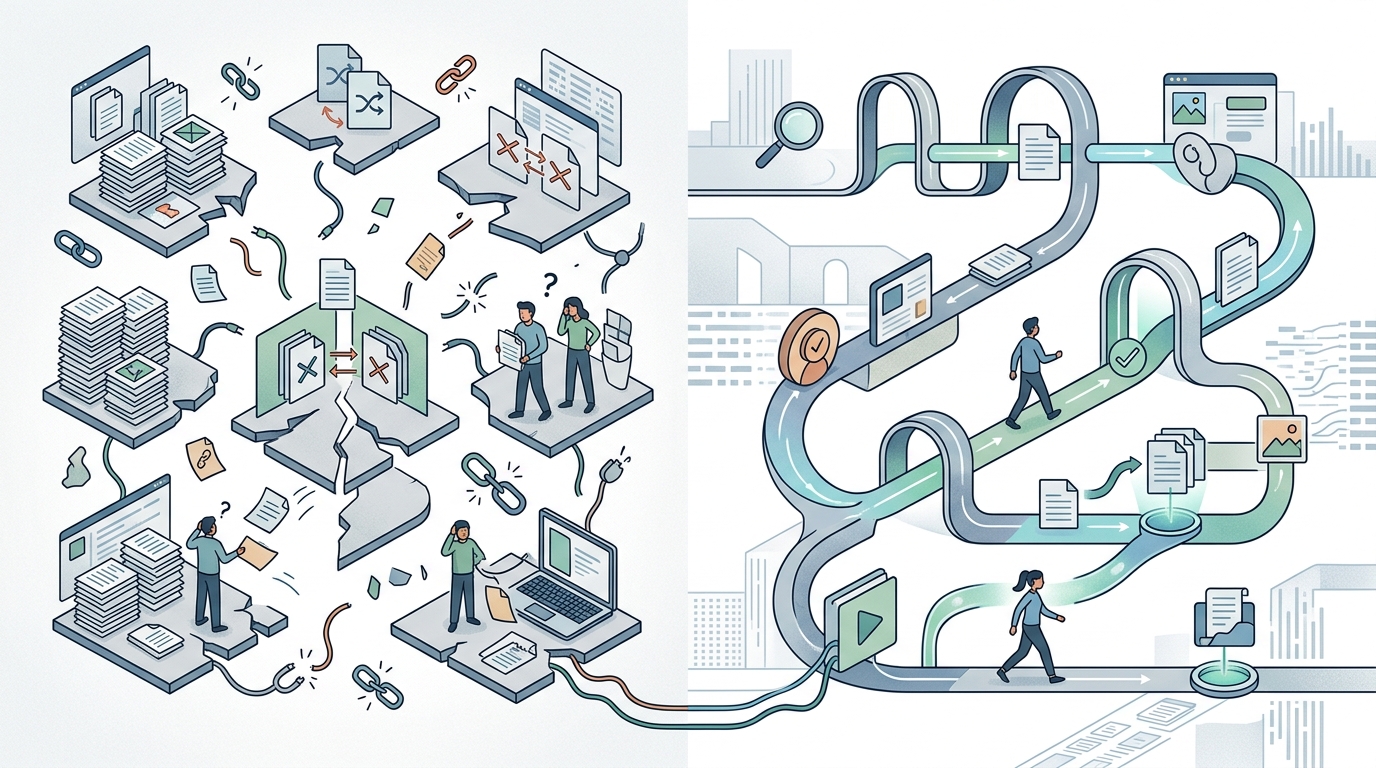
| Workflow issue | Fragmented stack | Integrated workflow |
|---|---|---|
| Research context | Copied manually between tools | Kept with the brief and draft |
| Brand instructions | Re-entered in multiple systems | Reused across creation stages |
| Asset versions | Spread across downloads and folders | Attached to a shared project |
| Approval status | Tracked through messages or sheets | Visible within the workflow |
| Publishing | Requires another export and import | Connected to approved content |
| Learning | Results analyzed separately | Results can inform future planning |
| Specialist capability | Often stronger for narrow tasks | May trade some depth for continuity |
The final row matters. Integration has tradeoffs.
A dedicated video editor may offer deeper timeline controls. A specialist SEO platform may provide more advanced keyword data. A social scheduling platform may support channels or approval rules that a broader content suite does not.
The question is not whether specialist tools are good. It is whether their additional capability is worth the extra handoffs for the work you do repeatedly.
A practical example: producing a short-form video
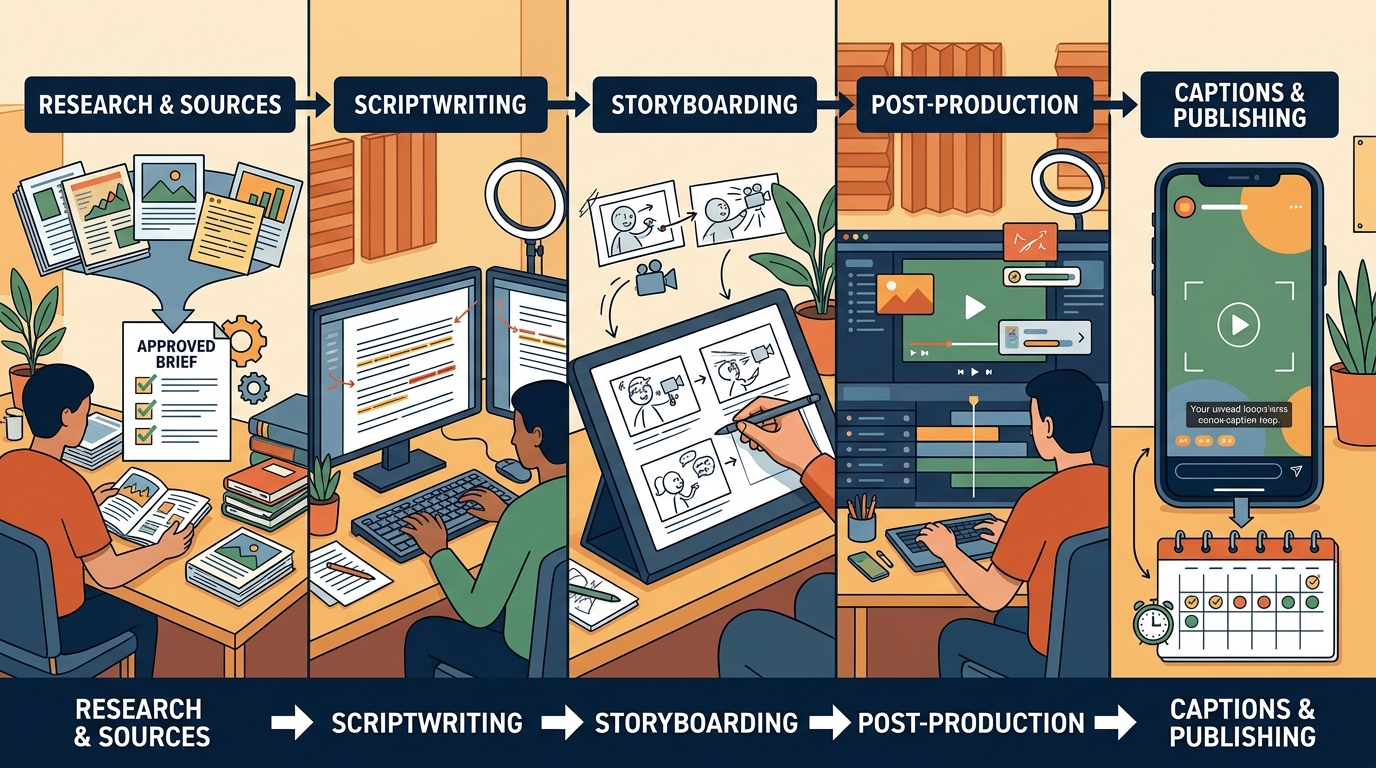
Consider a small business creating a 45-second educational video.
A tool-hopping process
The operator might:
- Research the topic in a search or AI research tool
- Save useful links in a document
- Open a writing assistant and paste in a summary
- Rewrite the script to match the brand voice
- Move the script into a video generator
- Download the video and fix it in an editor
- Generate a caption in another tool
- Upload everything into a scheduler
- Check the social platform later for results
- Record useful observations in a spreadsheet, if time allows
The operator spends part of the session creating content and part of it coordinating software.
An integrated process
A connected workflow could instead:
- Store the topic, sources, audience, and intended angle in one brief
- Generate a script from that approved context
- Let the user edit and approve the script
- Create the video while keeping it attached to the project
- Draft channel-specific captions from the final version
- Route the content through a publication check
- Schedule the approved asset
- Use performance observations to inform future recommendations
AI still does not decide whether a claim is accurate, whether a joke fits the brand, or whether a sensitive topic should be published. The workflow reduces administrative repetition while keeping those decisions with the user.
When specialist tools still make sense
An integrated platform is not automatically the right answer for every team.
Keep a specialist tool when its distinctive capability materially affects the finished work. Examples might include advanced color grading, complex motion graphics, technical search analysis, or enterprise approval requirements.
A specialist stack can also work well when:
- The team has someone responsible for maintaining integrations
- Content volume is low enough that manual handoffs are manageable
- The organization already has clear asset governance
- A channel requires capabilities unavailable in the central platform
- The value of deeper controls exceeds the coordination cost
Integration is most valuable for recurring work. If a creator publishes several short videos and supporting posts each week, continuity may matter more than having every possible editing control. For a major product film produced twice a year, a specialist workflow could be justified.
How to design a better AI content creation workflow
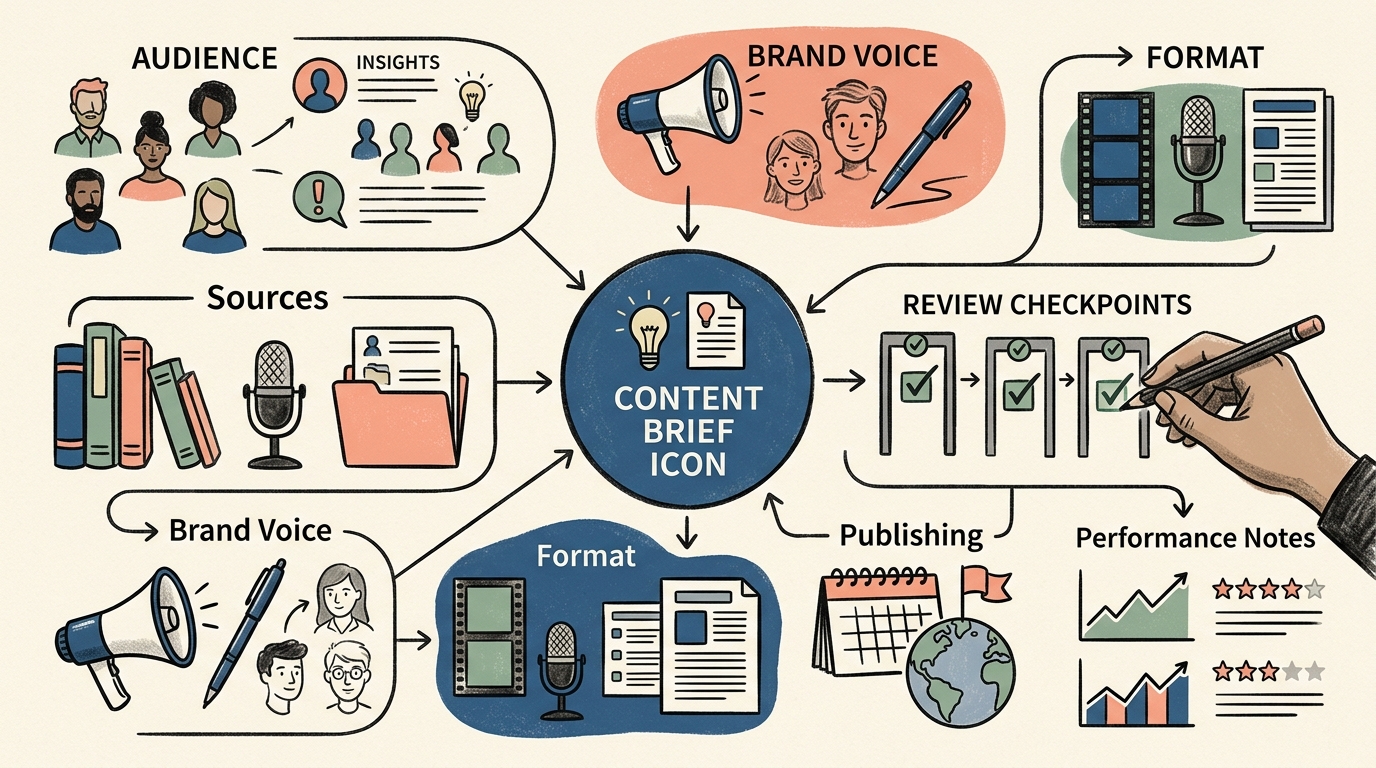
You do not need to replace every tool immediately. Start by finding where the current process breaks.
1. Map the workflow as it actually happens
Choose one recurring content format and document each step from idea to publication. Include unofficial steps, such as sending files to yourself, pasting prompts from a notes app, or asking for approval in chat.
For each step, record:
- Which tool is used
- What information enters it
- What it produces
- Who reviews the output
- Where the next handoff occurs
This usually reveals that the problem is not the number of tools alone. It is the amount of context and material moved between them.
2. Identify the highest-friction handoffs
Look for repeated copying, file conversions, version confusion, and missing approval signals.
A handoff deserves attention if it regularly causes rework or makes publishing less likely. Fix those transitions before optimizing minor generation speed differences.
3. Create one durable content brief
A useful brief should travel through the workflow. It can include:
- Audience and problem
- Main claim or takeaway
- Supporting sources
- Required qualifications
- Brand voice instructions
- Intended format and channel
- Desired call to action
This becomes the shared context for the article, video, caption, and publishing decision.
4. Put human review before expensive transformations
Review the script before generating the video. Verify the article's claims before designing supporting graphics. Approve the core message before adapting it across five channels.
Early review prevents a weak or inaccurate decision from multiplying across formats.
5. Track decisions, not vanity output
Publishing more assets is not automatically evidence that the workflow works.
Useful operational measures include:
- Time from approved idea to publication
- Number of manual handoffs
- Revisions caused by missing context
- Percentage of planned content actually published
- Time spent correcting brand or factual issues
- Whether performance observations affect the next brief
These measures will not prove revenue impact by themselves. They can show whether the system is becoming easier to operate and learn from.
What to look for in an integrated content platform
Before consolidating your workflow, test the platform with a real content project. A polished feature list will not reveal what happens during revisions.
Ask the following questions:
Can research remain attached to the content?
A research feature is less useful if its sources and notes disappear as soon as drafting begins. Check whether the workflow preserves the basis for important claims.
Can users edit between automation steps?
Avoid systems that treat generation as an irreversible pipeline. You should be able to correct the brief, revise the script, replace an asset, and stop publication.
Does the platform preserve brand context?
Look beyond a single tone setting. Determine whether the system can consistently use audience information, preferred terminology, offers, and content restrictions.
Are approval states clear?
Draft, reviewed, approved, scheduled, and published should be distinguishable. Ambiguous status creates duplicate work and accidental publishing risks.
Can you export your work?
Integration should not become captivity. Check whether you can download important text and media assets in usable formats.
Does it support learning, not just production?
A mature workflow should help users connect published content with future decisions. Be cautious of platforms that define success entirely as producing more posts.
What happens when automation fails?
Check whether failed publishing actions, missing files, or incomplete generations are visible. A reliable workflow makes exceptions easy to find and correct rather than hiding them behind a success message.
The best setup may be integrated, not monolithic
The strongest setup for a small business may consist of one central platform plus one or two deliberate specialist tools.
The central platform should hold the content brief, research, working assets, approval state, and next action. Specialist software should enter the process only where its extra capability justifies the handoff.
This avoids two extremes. You do not have to maintain a complicated collection of loosely connected applications, and you do not have to accept a weaker feature simply because it lives inside an all-in-one suite.
MG Social Studio follows this connected approach, with AI-assisted research, blog and short-form video creation, publishing workflows, and Growth Copilot recommendations in one environment.[3] The product is intended to help users move from an idea toward a finished asset without rebuilding the project in every tool. Users should still review AI-generated content and recommendations before publishing.
Start creating with MG Social Studio.
Results vary. AI-generated recommendations and content should be reviewed before publishing.
Frequently asked questions
What is an AI content creation workflow?
An AI content creation workflow is the repeatable process used to research, draft, review, produce, publish, and evaluate content with AI assistance. A useful workflow defines where AI helps and where human approval is required.
Is an all-in-one AI platform always better than specialist tools?
No. Specialist tools may offer deeper controls for tasks such as advanced video editing or technical SEO analysis. An integrated platform becomes more valuable when repeated handoffs, lost context, and version confusion cost more than the specialist capability adds.
How does an integrated workflow help maintain brand voice?
It can keep shared brand instructions attached to the project instead of requiring users to recreate them in every application. Human review is still necessary because stored instructions do not guarantee that every generated phrase will fit the brand.
Should AI publish social media content automatically?
Automatic scheduling can reduce repetitive work, but businesses should keep a review step before publication. Claims, links, visuals, timing, and platform suitability can all require human judgment.
How can a small business reduce tool-hopping?
Start with one recurring content format. Map every tool and handoff, centralize the content brief, remove overlapping applications, and retain specialist tools only where their additional capability clearly improves the result.