AI marketing automation
InVideo AI vs Pictory: Which AI Video Tool Is Right for You?
InVideo AI is designed for prompt-led video creation, while Pictory focuses on repurposing scripts, articles, and recordings. This comparison examines their workflows, editing experience, usage limits, licensing considerations, and publishing options.
By MillsGuild Editorial ·
InVideo AI vs Pictory: Which AI Video Tool Is Right for You?
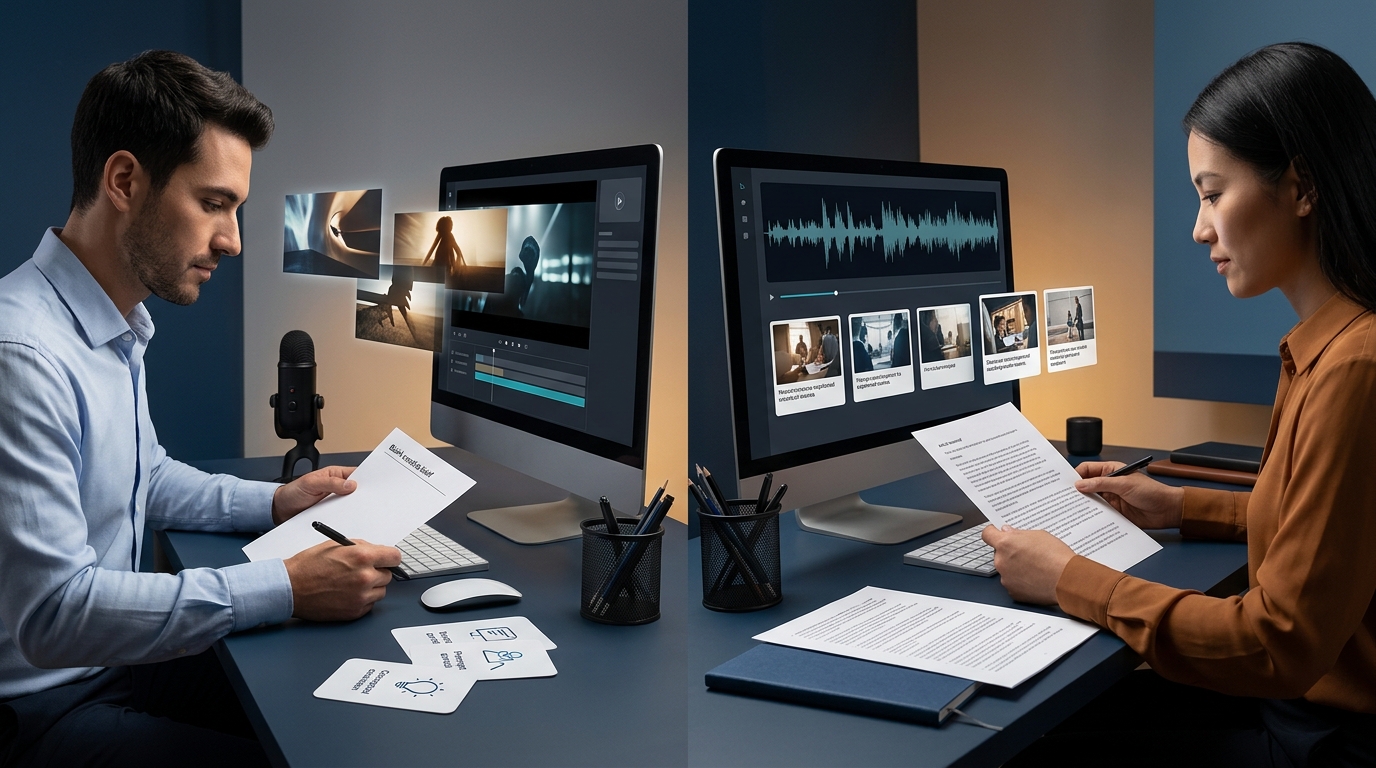
InVideo AI and Pictory can both turn text into video, but they suit different starting points.
InVideo AI is built around prompt-led creation. You can begin with an idea, describe the audience and format, and ask the platform to assemble a draft using stock media or, where available on your plan, generative video models. Pictory is more directly focused on repurposing material you already have, including articles, scripts, transcripts, webinars, podcasts, and recordings.
That distinction affects how much correction a first draft is likely to need. Plan allowances, model access, integrations, and licensing terms also differ, so compare the specific subscription options you intend to use.
The short answer
Choose InVideo AI if:
- You usually begin with an idea or creative brief.
- You want to experiment with generated footage where the relevant model is available.
- You need prompt-led revisions and a broader range of creative directions.
- You are comfortable tracking credits, premium media allowances, and regeneration usage.
Choose Pictory if:
- You already have articles, scripts, webinars, podcasts, or training material.
- Your priority is turning long-form content into captioned videos.
- You prefer editing a sequence of script-based scenes.
- You want production capacity that is easier to estimate in finished video minutes.
For an existing content library, Pictory is usually the more direct choice. For a project that begins with a brief, InVideo AI offers more room for experimentation. The right answer depends on the work your team produces most often.
InVideo AI vs Pictory at a glance
| Category | InVideo AI | Pictory | |---|---|---| | Best starting point | An idea, brief, or natural-language prompt | An article, script, URL, transcript, or recording | | Core approach | Prompt-led generation and editing | Script and scene-based content repurposing | | Editing approach | Prompt and command-led revisions, with manual editing options | Scene-level editing tied to the source text | | Visual sources | Stock media and, on eligible plans, generative media | Primarily stock footage and images matched to the script | | Cost consideration | Credits, premium media, model access, and regenerations affect usage | Finished video minutes, voices, media access, and plan limits affect usage | | Distribution | External workflow connections may be available; verify current integrations | Pictory documents a Hootsuite publishing workflow | | Best use | Prompt-first creative production | Blog, script, webinar, and recording repurposing |
The biggest difference is how you begin

Pictory's documented tools center on turning existing material into video. Its text-to-video features can work from written scripts and articles, while related tools handle recorded content and shorter segments from longer videos.[1][2]
The platform analyzes the source text, divides it into scenes, and suggests stock visuals for the narration. Pictory's help documentation also describes summarizing source content before building the video.[3]
A practical Pictory project might follow this sequence:
- Paste in an article or script.
- Remove material that does not work in narration.
- Let Pictory divide the source into scenes.
- Review and replace the suggested visuals.
- Add narration, captions, branding, and music.
- Export the video or send it to a publishing tool.
InVideo AI begins with a broader creative instruction. A prompt can describe the topic, audience, tone, duration, format, media style, and intended platform. InVideo also advertises access to generative video models, although model access and usage allowances depend on the account plan.[4][5]
A prompt might begin like this:
Create a 30-second vertical advertisement for a neighborhood landscaping company. Target first-time homeowners, focus on saving time, and end with a request for a free estimate.
The system can use that brief to propose a script, narration, scene structure, and visual direction. The open-ended approach is useful for ideation, but the first result can require more correction when a project involves a specific brand, product, or factual message.
Which one works better for content repurposing?
Pictory is a natural candidate when useful material already exists in a document, transcript, or recording.
A small business with a library of educational articles may not need software to invent new subjects. It may need a tool that extracts useful passages, arranges them into scenes, adds captions, and pairs them with suitable visuals. Pictory's documented tools are oriented toward that task.[1][2]
Potential applications include:
- Turning a webinar into shorter clips
- Converting a podcast transcript into visual summaries
- Creating videos from training documents
- Reformatting written thought leadership for social feeds
- Adding captions and branding to existing recordings
The scene-based structure makes individual passages and visuals easy to review. Automated matching can still produce generic, historically inaccurate, geographically unsuitable, or otherwise irrelevant footage. Check names, claims, captions, pronunciation, pacing, and context before publishing.
Which one works better for creating videos from scratch?
InVideo AI is positioned more directly around blank-page creation. Its distinction is not simply that it accepts text, since Pictory accepts scripts and articles too. The difference is that an InVideo prompt can function as a creative brief for material that does not yet exist.
That is useful for:
- Short promotional videos
- Product concept videos
- Social advertisements
- Videos based on a new campaign brief
- Scenes that are difficult to find in a stock library
Access to generative models can expand InVideo's visual options, but model availability and usage limits depend on the plan.[4][5] Generated footage also needs checking for character, product, text, movement, and continuity problems. Regenerating a scene can consume additional plan capacity.
Editing and creative control
Pictory's editing model follows the source text. Each passage corresponds to a scene, which makes it straightforward to shorten narration, edit captions, or replace a particular visual. This structure can be comfortable for marketers who do not work in conventional video-editing timelines.
It is less suited to projects requiring intricate timing, overlapping elements, or detailed motion design. Pictory is most closely aligned with videos in which narration and captions drive the structure.
InVideo AI gives prompts and commands a larger role in creation and revision. You can request changes to pacing, tone, scene selection, narration, or structure, then refine the result manually. This supports experimentation, although a broad revision can affect more of the project than intended.
A team that revises one scene at a time may prefer Pictory's structure. A team that starts with a creative brief may prefer InVideo's prompt-led approach. Compare the time needed to correct a representative project rather than judging the first draft alone.
Pricing: compare the production model, not the headline fee
The products measure different resources, so a direct price comparison can be misleading. Pictory generally relates capacity to finished video minutes, while InVideo AI can involve credits, premium media, models, and regeneration usage.
Pictory's pricing is easier to relate to finished video minutes, although voices, premium media, brand features, collaboration, and other limits affect actual capacity.[6]
InVideo AI requires closer attention to the media and generation method. A stock-based project and one that uses newly generated clips can consume resources differently. Premium stock assets, advanced models, and regenerations can have separate limits or credit requirements.[7]
Estimate a normal month by considering:
- How many videos you expect to finish
- The average finished length
- How much generated footage each video needs
- Whether standard stock media is sufficient
- How often you revise or regenerate scenes
- How many people need access
- Whether you need premium voices or voice cloning
A team producing article summaries has a different cost profile from an agency creating original promotional concepts. Calculate the cost of publishable videos, including revisions, rather than the cost of the first draft.
Stock media and visual variety

Pictory offers media through stock-library partnerships. Its Getty Images integration provides access to videos and images within the editing workflow, subject to plan eligibility and applicable license terms.[8]
This can help with business, educational, and informational videos where stock footage is preferable to generated imagery. It also reduces the need to search several external libraries.
InVideo combines standard stock sources with premium iStock assets. Its guidance explains that iStock use is metered and that the allowance is generally applied when a project is downloaded, rather than whenever an asset is previewed during editing.[9]
Pictory is centered on stock-led assembly, while InVideo combines stock media with prompt-led creation and, on eligible plans, generative media. Neither platform gives users exclusive ownership of a stock clip, so the same underlying footage may appear in other projects.
Commercial use and licensing
Commercial-use rights depend on the plan, asset source, project type, and materials a user uploads. Permission to export or monetize a project does not mean the user owns every stock clip, music track, voice, image, or generated element inside it.
Pictory describes licensed media supplied through its library partners, including Getty Images and Storyblocks, as available for use in completed videos subject to the applicable terms.[10][11] InVideo describes commercial use for eligible projects, while its terms distinguish the final compilation from underlying third-party assets.[12]
Before using either service for client work or a major campaign, review the terms for:
- The specific subscription plan
- Client and agency work
- Music and platform-clearance requirements
- Voice cloning and speaker consent
- Uploaded logos, photographs, and recordings
- Generated depictions of people, products, or brands
- Rights that continue after cancellation
A commercial-use provision grants permission to use an output under stated conditions. It does not create ownership of third-party assets or remove trademark, likeness, advertising, and copyright risks.
Social media automation and publishing
Video creation and social media automation are separate functions. Neither service should be treated as a complete social media management platform without checking the specific integrations.
Pictory documents a Hootsuite integration that can move completed content into a scheduling and publishing process.[13] For InVideo, available external workflow options and account requirements should be confirmed before relying on them for distribution.
Automation can reduce repetitive downloading and uploading, but publishing still benefits from an approval step. Review captions, visuals, claims, and formatting before a video is distributed across several channels.
Which platform fits your business?
Choose Pictory for an existing content library
Pictory suits companies with articles, interviews, podcasts, presentations, or training recordings that need to become additional formats. Its scene-based structure is closely matched to narration, captions, and stock-supported video.
It can work well for content teams, educators, consultants, and podcasters whose main challenge is converting existing material efficiently. The source script and visual review still determine the quality of the result.
Choose InVideo AI for brief-led projects
InVideo AI is better aligned with advertisements, campaign concepts, and visually specific projects that start with an idea rather than a finished document. It can produce a draft from a natural-language instruction and may provide access to generative models on eligible plans.
This approach is useful for promotional concepts and scenes that are difficult to source from a stock library. It also requires testing prompts, reviewing outputs, and tracking usage.
Use both only when the jobs are distinct
A team could use Pictory for routine article or webinar repurposing and InVideo AI for projects that need prompt-led concepts or generated scenes. Two subscriptions make sense only when each tool addresses a separate recurring production need.
A practical buying test
Before paying annually, run a realistic project through each platform.
For repurposing, use an article or webinar transcript your business actually wants to publish. For original creation, use the same campaign brief where the comparison is fair.
Evaluate:
- Time required to reach a publishable draft
- Number of incorrect or irrelevant visuals
- Ease of making a small scene-level correction
- Voice quality and pronunciation
- Brand consistency
- Caption and text accuracy
- Usage consumed by revisions
- Export and scheduling steps
The useful metric is not generation speed alone. Track the human work, paid usage, and review time required to produce something your team is willing to publish.
Frequently asked questions
Is Pictory better than InVideo AI?
Pictory is stronger for converting existing articles, scripts, and recordings into stock-supported videos. InVideo AI is stronger for developing a video from a prompt or creative brief. The better choice depends on your source material, editing preferences, and plan requirements.
Which is easier for beginners?
Pictory's script and scene-based structure can be easier for beginners whose videos follow written narration. InVideo AI can produce an initial draft from a prompt, but its broader creative range may require more experimentation.
Can I use InVideo AI or Pictory videos commercially?
Both platforms publish commercial-use provisions for eligible projects and licensed assets, but the rights depend on the plan and materials used.[10][12] Review the current terms for client work, music, voice cloning, generated people, and uploaded material. Commercial use does not equal ownership of third-party stock content.
Can either platform publish directly to social media?
Pictory documents a Hootsuite integration. For InVideo, confirm current external publishing and automation options before relying on them for distribution.[13] Available actions depend on the connected service and account.
Do these tools replace a human video editor?
They can reduce work involved in scripting, rough assembly, stock selection, narration, and captions. They do not eliminate the need to verify facts, visual relevance, pacing, pronunciation, brand standards, and licensing.
Choose based on the source of the project
The clearest distinction is where the project begins. If your team already has the words, Pictory offers a direct route from source content to a video draft. If the team has a brief and needs help developing the script and visual direction, InVideo AI is the more natural starting point.
Test the work you will repeat, compare the correction time, and calculate the cost of publishable output. That approach is more useful than choosing based on template counts, a free trial, or the lowest advertised monthly price.
Sources
- Pictory text-to-video documentation
- Pictory product and workflow information
- Pictory article-to-video help documentation
- InVideo AI product information
- InVideo AI help center
- Pictory pricing
- InVideo pricing
- Pictory Getty Images partnership
- InVideo iStock usage guidance
- Pictory terms and licensing information
- Pictory copyright and licensed-media guidance
- InVideo terms and conditions
- Pictory Hootsuite publishing information
Sources
- https://pictory.ai/text-to-video
- https://pictory.ai/features
- https://kb.pictory.ai/en/articles/8468872-how-to-create-a-video-from-a-blog-article
- https://invideo.io/make/ai-video-generator/
- https://help.invideo.io/en/
- https://pictory.ai/pricing/
- https://invideo.io/pricing/
- https://pictory.ai/partners/getty
- https://help.invideo.io/en/articles/9380474-how-is-istock-consumed-and-how-do-i-control-it
- https://pictory.ai/terms-of-service
- https://kb.pictory.ai/en/articles/8468881-are-videos-created-on-pictory-copyright-free
- https://invideo.io/terms-and-conditions/
- https://pictory.ai/blog/create-social-media-shorts-with-pictory