
Video intelligence
Opus Clip vs. Munch vs. Klap: Which AI Video Repurposing Tool Fits Your Workflow?
OpusClip, Munch, and Klap can all turn long videos into social clips, but they solve different workflow problems. Compare editing control, automation, quotas, team features, API access, and the hidden cost of reviewing AI-generated clips.
By MillsGuild Editorial ·
Opus Clip vs. Munch vs. Klap: Which AI Video Repurposing Tool Fits Your Workflow?
A 60-minute webinar can contain several useful social clips. Finding them is only the first step. Someone still has to check the cuts, correct captions, fix framing, apply the brand style, export each version, and move the finished assets into a publishing workflow.
That is where the differences between OpusClip, Munch, and Klap become important.
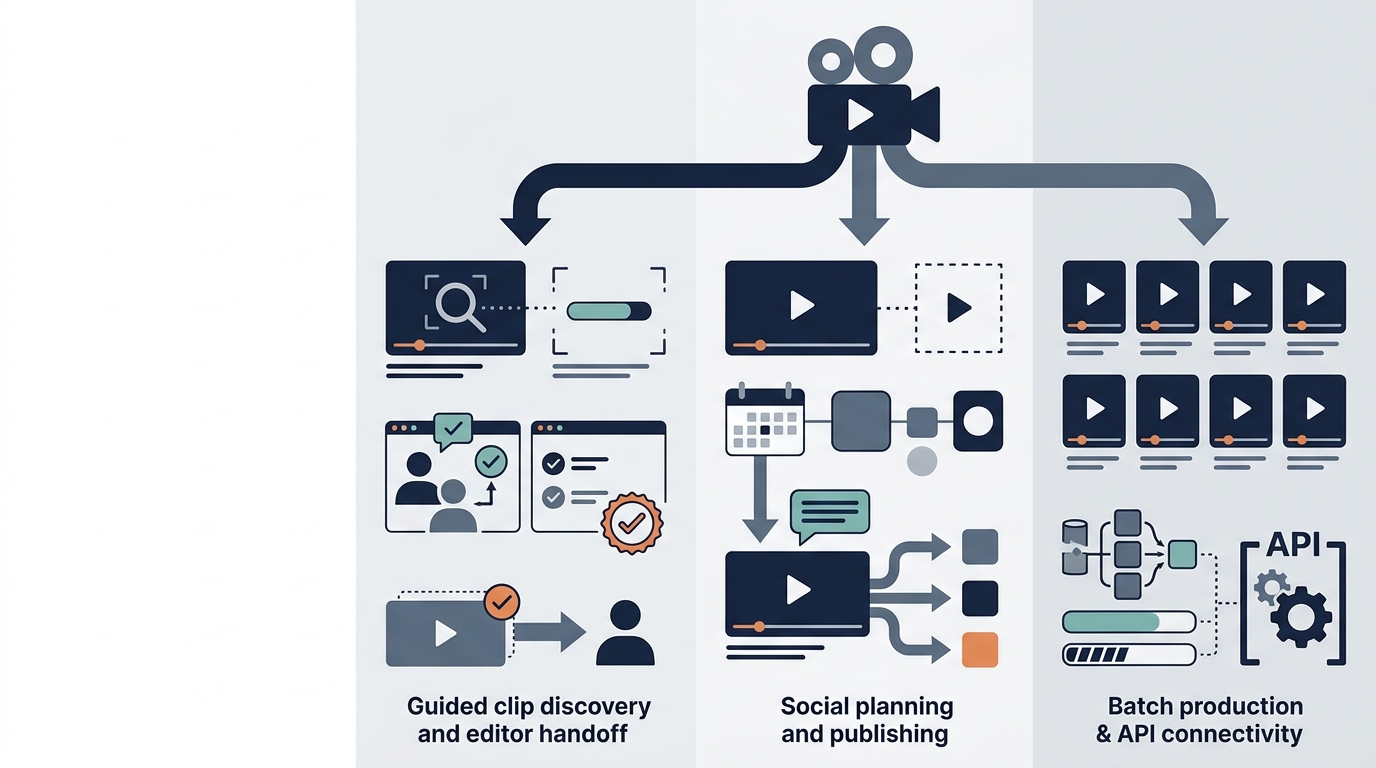
All three use AI to turn longer videos into shorter assets, but they are not interchangeable. OpusClip emphasizes AI-assisted highlight extraction and editor handoff. Munch has expanded toward broader social content planning and publishing. Klap focuses on converting long videos into short, captioned clips, with features that may suit recurring production workflows and developers.
The best choice depends less on how many clips a product generates and more on what happens before and after generation.
The short answer
- Choose OpusClip if you want guided clip discovery, prompt-based extraction, and the option to continue polishing selected clips in a professional editor.
- Choose Munch if you want video repurposing inside a broader social content workflow that also covers planning, additional content formats, and scheduling.
- Choose Klap if you need a focused long-video-to-shorts workflow, reusable brand styling, or programmatic access through an API.
- Look beyond a standalone clipper if your process also requires topic research, written content, publishing coordination, and recommendations based on actual channel performance.
This comparison uses published product information and the verified research available for this article rather than a controlled hands-on test. Features, plan limits, and prices can change, so confirm them with each provider before subscribing.
OpusClip vs. Munch vs. Klap at a glance
| Workflow question | OpusClip | Munch | Klap |
|---|---|---|---|
| Primary emphasis | Finding and editing highlights from source video | Broader social content creation and management | Conversion of long videos into short clips |
| Best fit | Creators and editors who want AI-assisted clip selection and finishing flexibility | Lean marketing teams seeking broader social automation | Creators, agencies, and developers needing repeatable clip production |
| Clip selection | AI recommendations plus prompt-based extraction | AI-led repurposing within a wider content system | Automated extraction and ranking |
| Professional editor handoff | Export to Adobe Premiere Pro and DaVinci Resolve is listed on qualifying plans. Confirm current access before subscribing. | More oriented toward completing work inside the platform | Review current export and integration options for your plan |
| Broader content formats | Primarily video-centered | Published materials describe posts, strategy, and video-related content | Primarily video-centered |
| Publishing support | Available on qualifying plans | A central part of the broader product positioning | Check supported destinations and plan limits |
| API or programmatic workflow | Business options may include advanced integrations and API access | Confirm enterprise integration options directly | Published API for developers |
| Main buying risk | Source-processing credits may disappear quickly on long uploads | Multiple quotas can make capacity harder to estimate | Output and processing limits vary by subscription and API usage |
The table provides direction, but it does not reveal the most important operational detail: how much review work is required before a clip is safe to publish.
OpusClip: Prompt-based discovery with an editor handoff
OpusClip follows a familiar workflow: import a video, let the system identify promising segments, review the results, customize them, and export or publish the approved clips.
A notable feature is ClipAnything, which lets users guide extraction with natural-language prompts. Instead of asking the software to find generically engaging moments, a marketer can request clips discussing a product feature, objection, customer problem, or named topic.
That can be useful when business relevance matters more than entertainment value. A clip with a dramatic hook is not necessarily the clip most likely to explain your offer or answer a buyer question.
OpusClip also publishes features such as automated captions, reframing, brand templates, AI B-roll, and a proprietary Virality Score. Treat that score as a sorting aid, not a forecast. It cannot guarantee distribution, views, leads, or sales.
When OpusClip makes sense
OpusClip is a practical option to test if your main job is extracting highlights from podcasts, interviews, webinars, or YouTube videos and then refining the strongest candidates.
Published plan materials list export to Adobe Premiere Pro and DaVinci Resolve on qualifying access. This can move a rough cut into professional editing software for more exact finishing. Confirm that the current plan includes the export option you need. Editor handoff matters when someone needs frame-level timing, audio cleanup, custom graphics, or tighter control over visual continuity.
The quota issue to examine
OpusClip's published plans use processing credits. In practical terms, processing a long recording can consume a substantial part of a monthly allowance even if only a few generated clips are approved.
Suppose a company processes four 60-minute webinars in a month. The relevant capacity question is not how many clips the AI might generate. It is whether the plan includes enough credits for the planned source footage, plus any reprocessing. Confirm with OpusClip exactly how the current plan counts source duration, retries, duplicate processing, and other processing events.
This model is predictable when every source video is consistently useful. It becomes less efficient when recordings contain long introductions, dead air, unrelated discussion, or sections that should not be processed.
Before uploading, trim obvious filler when practical. Then confirm how retries, duplicate processing, and additional source files affect credits under the current OpusClip pricing terms.
Questions to answer during an OpusClip trial
Automated clip selection can still produce segments that begin too late, end abruptly, or depend on missing context. Caption accuracy and speaker framing also vary with audio quality, accents, overlapping dialogue, and the source layout.
Use the trial or free allocation to answer these questions:
- Can you extend a selected clip without rebuilding it?
- How quickly can you correct names and technical terms?
- Does reframing work when several people appear on screen?
- Can the export move cleanly into your existing editor?
- How many generated clips would your team actually approve?
Munch: A broader social content workflow
Munch is broader than a conventional clipping tool. Munch's published product materials describe video repurposing alongside brand or business context, social content creation, planning, and publishing functions.
The published workflow can use a company's website and existing materials to inform generated content, including posts and video-related social assets. Scheduling and posting are also part of its current product positioning. Check the live interface and plan details to confirm which formats and publishing destinations are available to your account.
These are product claims to verify against the current plan and interface. They do not mean that every asset will be ready to publish without editorial review.
Where Munch fits
Munch is most relevant when the requirement is closer to “help us run social content” than “find clips in this podcast.”
Consider a small software company with one monthly webinar. It might want to turn that webinar into short clips, create supporting LinkedIn posts, prepare simple graphics, and place approved assets on a calendar. A broader platform may reduce some of the file transfers and copy-pasting that occur when every step uses a separate tool.
Munch may also appeal to a non-editor who values automation across formats more than detailed timeline control. The tradeoff is that a system optimized for end-to-end generation may provide less granular control than a conventional video editor.
Munch pricing requires careful reading
Munch's plan materials may list separate limits for areas such as repurposing minutes, generated videos, storage, script generation, team access, and brand capacity. Prices and quotas can vary by billing frequency, plan, and the date of the source page.
For that reason, do not evaluate Munch using the headline monthly price alone. Map each quota to your expected workload and confirm the current figures on the official pricing page or with Munch directly.
A team could have enough repurposing minutes left while reaching a separate generated-video or storage limit. Ask Munch to confirm the current limits in writing if the purchase will support client work or a high-volume calendar.
Questions to answer during a Munch trial
A broader system is not automatically a better system. If your team already has a scheduler, design application, video editor, and established approval process, Munch may overlap with software you already pay for.
Use its trial to test editorial control as well as output volume:
- Can you change the exact beginning and end of a clip?
- Can captions be corrected quickly?
- Can one piece of content be adapted without rewriting everything else?
- Are generated posts specific enough to preserve the speaker's meaning?
- Can reviewers approve individual assets without publishing the entire batch?
Klap: Focused short-form production with API options
Klap takes a direct approach to long-video-to-short-form production. Its product materials describe automated captions, reframing, brand presets, and multi-platform publishing options. Availability of particular languages and localization features can depend on the current product and plan.
That combination may suit teams processing recurring video formats, including agencies, podcast publishers, multilingual content teams, and developers. These are workflow possibilities, not a guarantee that every plan includes the same capacity or features.
Klap's potential role in a production workflow
Klap can suit teams that prioritize production throughput and repeatability over broader content strategy. An agency processing weekly interviews for several clients may care about reusable brand styles, predictable exports, and keeping one client's visual identity separate from another's.
Klap also publishes a video repurposing API. That can be valuable when clips need to move through a custom application or automated production pipeline rather than a browser-only interface.
API availability does not eliminate the need for review. It changes how files enter and leave the system. A developer can automate job submission and asset retrieval, but someone still needs to decide whether the result preserves context, uses correct captions, and meets brand standards.
Checks to make before selecting Klap
Klap's focused scope can be an advantage, but teams may still need separate tools for topic research, long-form writing, campaign planning, approvals, and performance analysis.
Verify the following before selecting a plan:
- Whether quotas count source videos, source duration, generated clips, or exports
- How concurrent and batch processing works on your plan
- Which languages are available for transcription and any localization features
- Whether each client or brand can have separate presets and permissions
- How the API accounts for processing, generation, and export
The official Klap API materials describe programmatic access. Subscription plans and API usage may use different accounting methods, so confirm the current rates and quota definitions in the provider's documentation rather than relying on figures quoted in an older review.
The hidden cost is human review
Subscription price is an incomplete way to compare AI video repurposing tools. The better measure is cost per approved asset.
A simple internal calculation is:
Cost per approved clip = subscription and overage costs + reviewer labor + finishing labor, divided by the number of clips approved for publication
This does not need to be financially precise to be useful. Its purpose is to expose false efficiency.
If a tool generates 40 clips but only eight are usable, the relevant output is eight. If each of those clips requires 15 minutes of caption correction and reframing, that labor belongs in the comparison too.
Track these figures during a trial:
- Source minutes uploaded
- Clips generated
- Clips approved without structural changes
- Average correction time per approved clip
- Clips rejected for missing context, poor framing, or inaccurate captions
- Time required to transfer approved assets into publishing and reporting systems
That small test will tell you more about workflow fit than a long feature list.
A practical trial method
Use one representative source video and one clearly defined brief when comparing trials. This makes the results easier to compare, but it is not an industry testing standard.
A useful test file is a 30 to 60-minute recording containing multiple speakers, a screen share, several topic changes, branded terminology, and at least one section that should not be published.
Ask each tool to produce five clips about specific topics. Then score the results on:
- Context: Does each clip make sense without the original recording?
- Selection: Did the system find the requested topic rather than a merely energetic moment?
- Cut quality: Are the opening and closing points natural?
- Caption quality: Are names, products, and specialized terms correct?
- Framing: Does the crop follow the relevant speaker or screen content?
- Brand control: Can fonts, colors, logos, and layouts be reused?
- Review speed: How many minutes does approval take?
- Handoff: Can approved assets reach your editor, scheduler, storage system, or custom application?
Weight these categories according to your actual operation. An agency may prioritize brand separation and throughput. A solo creator may care more about speed and ease of correction. A regulated business may place privacy, retention, and approval controls above every creative feature.
Privacy and data handling deserve a separate review
Teams often upload unreleased interviews, customer conversations, internal presentations, and product demonstrations to video tools. Free or entry-level plans should not be assumed to provide the same contractual protections as business plans.
Before processing sensitive footage, check the provider's current terms, privacy policy, retention rules, deletion process, subcontractor disclosures, and availability of a data processing agreement. Enterprise buyers should also ask whether uploaded media is used to train models and what happens to stored files after an account closes.
If those answers are not clear, do not upload confidential material until the provider clarifies them.
Which tool should you choose?
Your choice should follow the bottleneck in your existing process.
OpusClip is the most natural starting point when extracting highlights from podcasts, interviews, webinars, or YouTube videos is the central task. Prompt-based discovery and professional editor handoff matter more here than broad social campaign management.
Munch deserves consideration when video repurposing needs to sit alongside broader social content creation, planning, and scheduling. Its appeal is workflow breadth, although that breadth may come with less timeline-level control and several separate quotas to monitor.
Klap is a candidate for focused short-form production, recurring batch workflows, multilingual use cases, or an API-connected system. Confirm current language availability, plan limits, and API charges before treating it as an agency or developer solution.
A standalone clipper may not solve the wider problem if your team also struggles to choose topics, turn ideas into written content, coordinate publishing, and learn from channel performance. In that situation, compare the total number of handoffs and review steps, not just the clipping feature set.
Results vary. AI-generated recommendations and content should be reviewed before publishing.
Frequently asked questions
Is OpusClip better than Munch?
OpusClip is generally the stronger fit when extracting and refining clips is the primary job. Munch is more appropriate when the team wants video repurposing alongside broader social content generation, planning, and scheduling. The better choice depends on whether editing control or workflow breadth matters more.
Is Klap an alternative to OpusClip?
Yes. Both can turn long videos into short, captioned clips. OpusClip places more emphasis on guided extraction and editor handoff, while Klap is attractive for focused short-form production, brand presets, multilingual workflows, and API access. Compare current quotas because the products do not necessarily count usage in the same way.
Do AI virality scores predict views?
No. A proprietary score can help rank generated clips, but it cannot account for every factor affecting distribution, including audience fit, account history, timing, packaging, competition, and platform behavior. It should never be treated as a guarantee of views or business results.
Can these tools replace a video editor?
They can reduce time spent finding clips, creating captions, and reframing footage. They do not reliably replace editorial judgment, factual review, precise pacing, advanced sound work, custom motion graphics, or final quality control. Many teams will use them to create a first pass rather than a finished asset.
What should a business measure during a free trial?
Measure approved clips rather than generated clips. Also record correction time, caption errors, rejected cuts, quota consumption, export quality, and the time needed to move each asset into the next stage of the workflow.