
Social publishing
Simplified vs Syllaby: Which AI Content Platform Is Right for You?
Simplified offers a broad marketing workspace, while Syllaby focuses on producing and publishing AI-generated videos. Compare their workflows, video tools, automation, pricing models, and limitations.
By MillsGuild Editorial ·
Simplified vs Syllaby: Which AI Content Platform Is Right for You?
Simplified and Syllaby both support AI-assisted social content, but their workflows are aimed at different jobs.
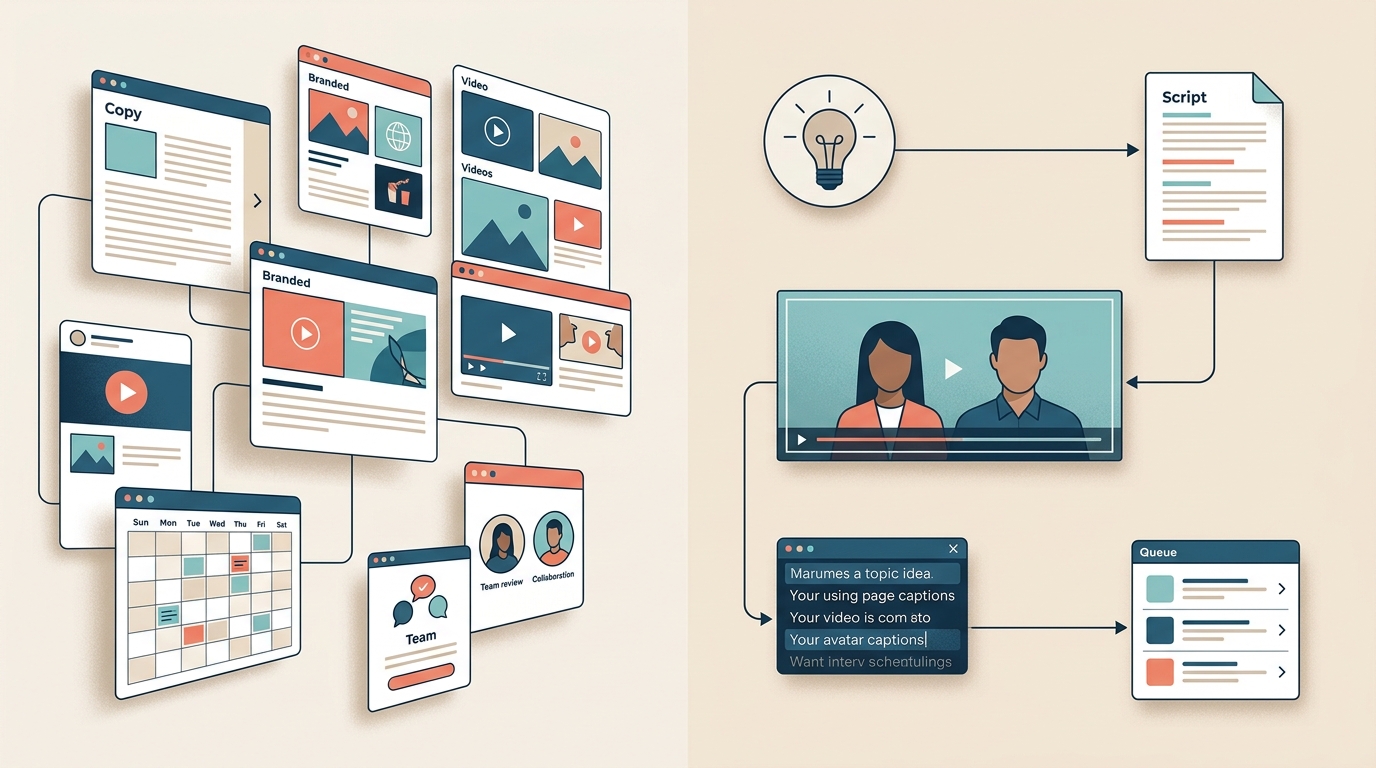
Simplified is a broad marketing workspace that brings together design, writing, video, social publishing, and collaboration. Syllaby is more video-focused, taking users from topic discovery and script generation to faceless or avatar-led video production and scheduling.
The practical choice depends on the work you need to complete each week and the content you plan to publish.
The short answer
Simplified is the better fit for a small team producing a mix of graphics, copy, videos, and scheduled campaigns. Its broader workspace is also more relevant when collaboration, client review, or multichannel publishing matters.
Syllaby is the more natural fit for a creator or small business whose main output is scripted faceless or avatar video. Its guided process can reduce the number of separate tools needed for topic research, scripts, video generation, and scheduling.
Neither platform removes the need to review AI-generated content or confirm that its current features and limits match your workflow.
Simplified vs Syllaby at a glance
| Category | Simplified | Syllaby |
|---|---|---|
| Core approach | Broad marketing and content workspace | Video-first creation pipeline |
| Strongest fit | Small marketing teams, agencies, and multiformat creators | Video-focused creators, educators, coaches, and solo businesses |
| Typical workflow | Write, design, edit, repurpose, approve, and schedule | Research a topic, create a script, generate a video, and schedule it |
| Video emphasis | Editing, repurposing, subtitles, resizing, and social assets | Faceless videos, AI avatars, voice tools, and script-to-video production |
| Non-video content | Stronger support for graphics, copy, presentations, and campaigns | More limited because the product centers on video |
| Collaboration | Team workspaces and approval-oriented features | Simpler production and scheduling workflow |
| Social management | Broader multichannel publishing and management | Primarily outbound video distribution |
| Cost structure | Plans bundle access to multiple product areas, with usage limits on some AI features | Credits are consumed by different production actions |
Features and plan limits change frequently. Check the current Simplified pricing page and Syllaby pricing page before subscribing.
The biggest difference is workflow design
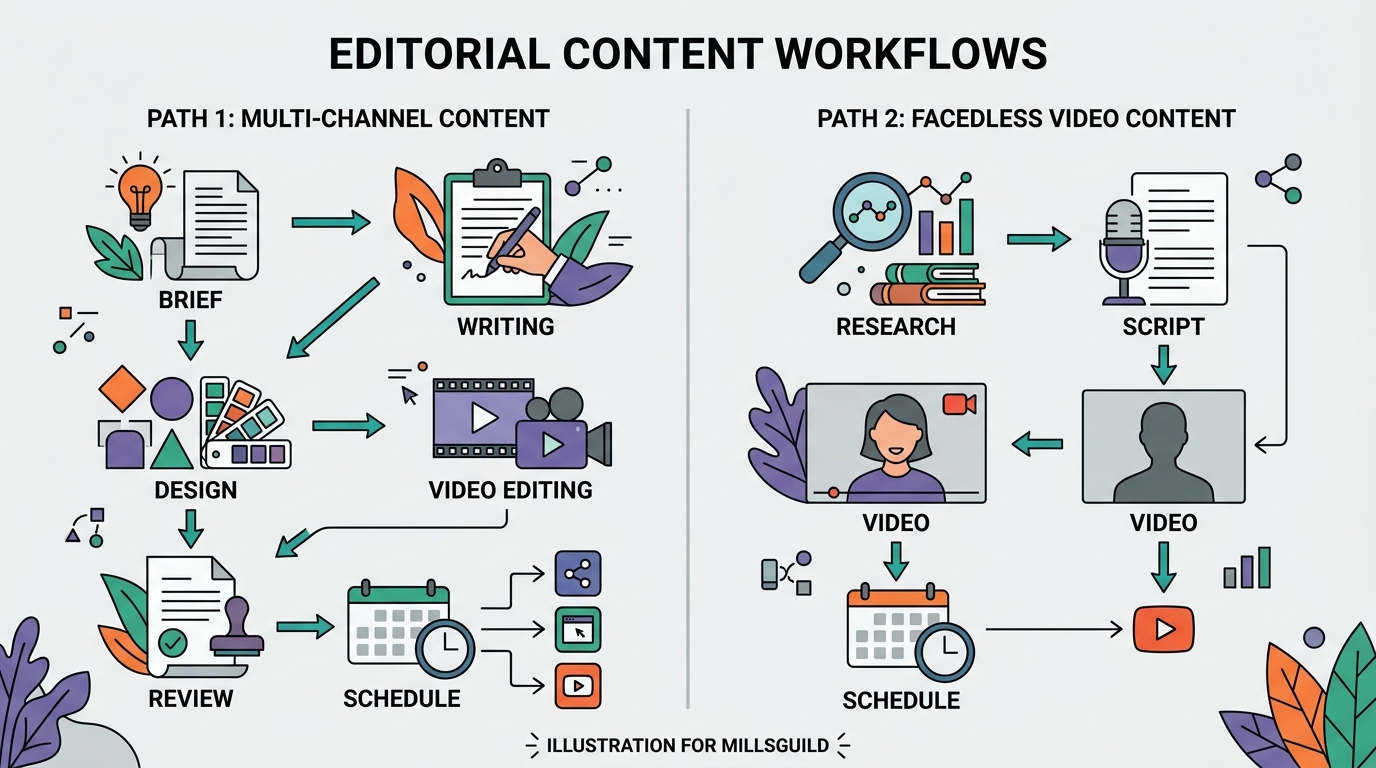
Both products include AI writing, video, and social publishing features. Their paths from an idea to a finished campaign are different.
Simplified is a collection of marketing tools
Simplified combines AI writing, graphic design, video tools, and social media management in one environment. A typical workflow might involve drafting a caption, creating a branded graphic, turning a longer recording into clips, resizing an asset, and scheduling the resulting posts.
That breadth is useful when a campaign includes several formats. A local business may need promotional graphics, short clips, text posts, ad copy, and a publishing calendar. An agency may place more value on shared workspaces and client review.
The same breadth can make the product feel unnecessary for someone who only needs an avatar generator or a basic video scheduler. Identify the modules you will use regularly before paying for a larger plan.
Syllaby is a guided video pipeline
Syllaby emphasizes topic discovery, script generation, faceless or avatar-led video production, and scheduling. Its available product materials also describe a credit system in which different production actions consume different amounts.
That structure is useful for someone who starts with a topic rather than existing footage. It brings research, scripting, video creation, and distribution closer together than a collection of separate tools would.
Syllaby is less complete for campaigns that also require extensive graphic design, long-form writing, or broader social management. Those tasks may require additional tools.
Which platform is better for AI video creation?
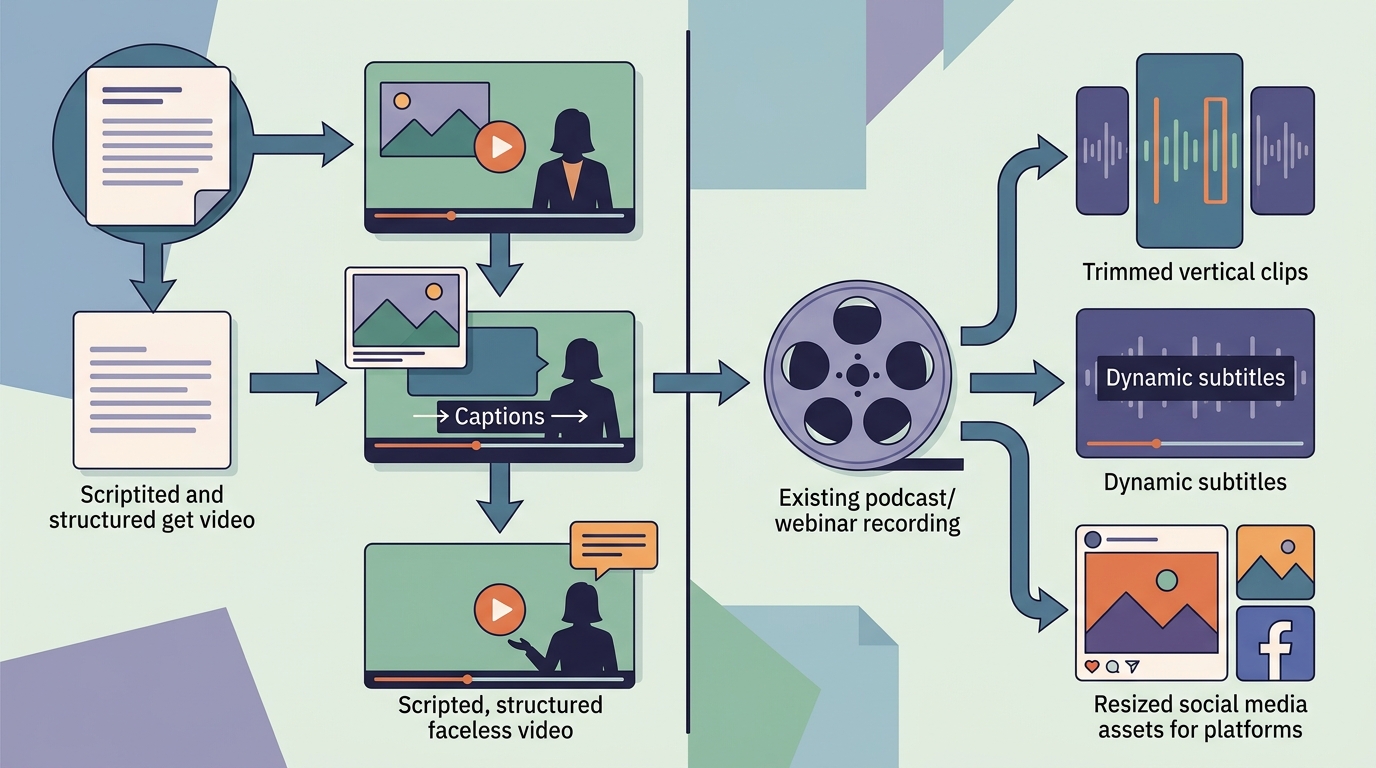
Syllaby is the more specialized option for creating scripted videos without filming a conventional presenter. Its documented workflow includes AI avatars, faceless video production, script generation, voice features, and editing tools.
That makes it relevant for:
- Educational videos presented by an avatar
- Narrated faceless videos using generated or stock visuals
- Short answers based on recurring customer questions
- Scripted vertical videos for Reels, Shorts, or TikTok
Simplified's video tools are oriented more toward editing and repurposing. Its product materials describe subtitles, resizing, enhancement, and tools for turning longer recordings into shorter social assets. Those capabilities may be more useful when you already have webinars, interviews, podcasts, product demonstrations, or founder videos.
A practical distinction is the starting material:
- Start with a topic and no footage, and Syllaby is likely to feel more direct.
- Start with an existing recording or a wider campaign brief, and Simplified may be more suitable.
Neither platform eliminates review. Scripts can contain errors, visuals can conflict with narration, and avatar delivery can sound unnatural. Check names, technical explanations, legal statements, and product claims before publishing.
Which is better for social media automation?
Simplified has the broader social management proposition. Its product materials describe scheduling, team-oriented functions, and support for a wider range of marketing assets. The available product materials also identify client approval workflows and a unified social inbox as part of its wider social suite.
Syllaby's scheduler is closely tied to its video workflow. Its pricing and product materials describe scheduling for major video-focused networks, including YouTube, TikTok, Instagram, and Facebook. That can be convenient when the main requirement is distributing generated videos.
The difference is scope. Video scheduling is not the same as managing social communication. Before replacing a dedicated social platform, check whether the product supports:
- Every network and account type you manage
- Platform-specific fields, including thumbnails, titles, and first comments
- Draft review and approval
- Comment or message management
- Reliable confirmation that a post was published
- Performance reporting at the level you need
Automation should remove repetitive work while preserving a clear review point. Neither platform should be treated as a guarantee of audience growth or engagement.
Pricing: calculate the cost of usable output
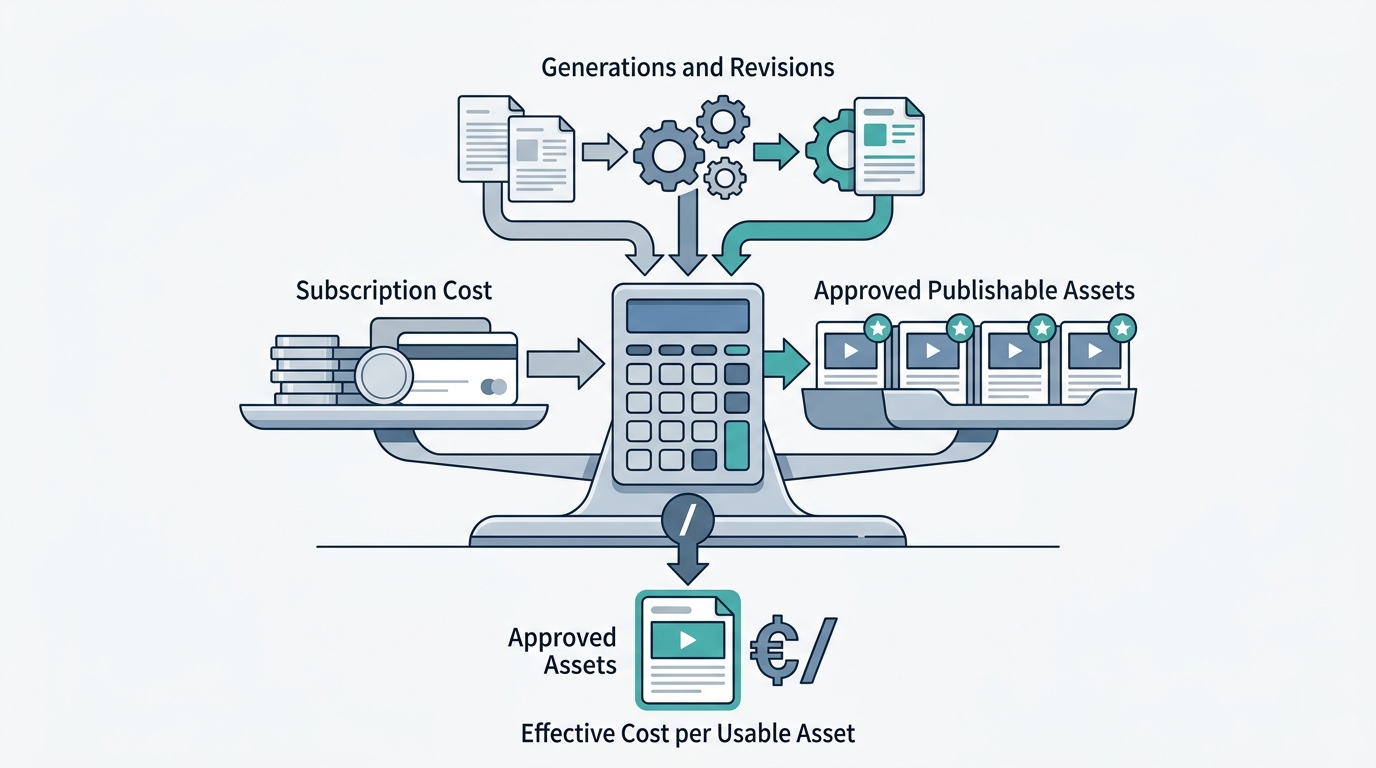
A subscription price does not show the full cost of an AI video workflow.
Syllaby uses credits for different production actions. The pricing page should be checked for the latest allowance and consumption schedule. The research materials describe materially different costs for faceless and avatar videos, with avatar generation using more credits. The practical cost also depends on how often you regenerate a video because of pronunciation errors, unsuitable visuals, or unwanted delivery.
Simplified bundles access to several tools into its plans, while AI usage, seats, connected accounts, and advanced features may vary by tier. The risk is different: a user may pay for a broad workspace while using only one or two modules.
Use this calculation during a trial:
Monthly platform cost ÷ number of approved, publishable assets = effective cost per usable asset
Track editing and correction time as well. A low-cost generation that needs extensive cleanup may not be economical.
A sensible trial project
Run the same small campaign through each platform:
- One original 60-second video from a written brief
- Two short clips based on existing footage
- One branded image or supporting visual
- Captions adapted for two social networks
- A review and scheduling step
Record the number of generations, exports, corrections, and external tools required. This gives you a more useful comparison than a feature count alone.
Editing control and brand consistency
AI generation is useful only when you can correct the result.
For Syllaby, test whether you can replace individual visuals, revise a script without rebuilding the project, control captions, correct pronunciations, and adjust pacing. Avatar delivery deserves particular attention because small presentation problems can affect credibility.
For Simplified, test the video editor with the file sizes and project complexity you normally handle. Also check how consistently brand settings carry through graphics, video elements, captions, and scheduled posts.
Import a real brand kit into either product and create several assets. Check fonts, colors, logo placement, terminology, calls to action, and visual style. The goal is to measure how much correction the brand features actually prevent.
Collaboration and approvals
Simplified is the stronger candidate when several people need to work on a campaign. Its product materials describe private team spaces, client approval workflows, and role-based collaboration features.
Syllaby's simpler pipeline may suit an individual creator who researches, edits, and publishes alone. A solo workflow may not benefit from layered approvals.
Teams should test permissions directly rather than assume that a shared workspace provides enough control. Confirm whether a contractor can edit without publishing, whether a client can review only the relevant project, and how final changes are recorded.
Content ownership and terms require attention
The platforms use different language in their public terms.
Simplified's terms state that users retain ownership of their contributions and associated intellectual property rights. Read the complete terms to understand how uploaded content, connected social accounts, and generated material are handled. See Simplified's terms of service.
Syllaby's terms state that users do not retain ownership of scripts or videos generated by the platform, while also saying that the platform does not restrict their use. This is a contractual statement, not a definitive answer to every copyright question. Read the current Syllaby terms and conditions before using the service for client or regulated work.
Copyright protection and permission to use an output are separate issues. In the United States, purely machine-generated material may not receive copyright protection, while human-authored elements such as original footage, substantial editing, or creative arrangement may be treated differently. The legal position can depend on the work and jurisdiction, so obtain legal advice when the content is commercially important or will be transferred to a client.
Secure explicit permission before cloning anyone's face or voice. Keep records covering allowed uses, duration, channels, and withdrawal of consent.
Cancellation and refund policies
AI video tools can consume credits during testing, so review refund rules before subscribing.
Syllaby publishes a separate refund policy. Check the eligibility window, the effect of consumed credits, and the required cancellation steps. Save a dated copy of the policy and your cancellation confirmation if billing certainty matters to your business.
Apply the same process to Simplified or any subscription platform. Confirm whether the advertised price is monthly or annual, whether unused allowances roll over, and what happens to stored projects after cancellation.
Which platform should you choose?
Simplified may be the better fit if:
- You produce graphics, written posts, video, and other campaign assets
- You already record long-form content and want to repurpose it
- Team collaboration and client review are important
- You need broader social management in the same workspace
- Consolidating several general marketing tools is a priority
Syllaby may be the better fit if:
- Most of your content strategy revolves around video
- You want presenter-style videos without filming each one
- Faceless video production is a core use case
- You prefer a guided path from topic to script to finished video
- You are comfortable tracking credit consumption and generation costs
Consider another approach if:
- You need detailed manual editing comparable to a professional desktop editor
- Your social strategy depends heavily on listening, customer support, or advanced analytics
- You need clearer client ownership terms than the current contract provides
- You want one workflow spanning research, short-form video, long-form articles, publishing, and performance-based recommendations
For that last use case, compare both platforms with the rest of your stack rather than judging them only as video generators. If your priority is multiformat campaigns, team review, and social inbox management, start with Simplified. If your priority is producing scripted faceless or avatar videos from topics, start with Syllaby. If you need research, creation, publishing, and performance-informed recommendations in one workflow, evaluate an integrated platform such as MG Social Studio alongside both options.
Frequently asked questions
Is Syllaby better than Simplified for AI avatar videos?
Syllaby is the more specialized choice for AI avatar and faceless video workflows. Simplified also provides video creation and editing tools, but its broader purpose is multiformat marketing content.
Is Simplified better for a marketing team?
It may be a stronger fit when a team needs graphics, copy, video, scheduling, and collaboration in one workspace. Test permissions, approvals, and editor performance with a real campaign before committing.
Which platform is better for repurposing existing videos?
Simplified is likely the better starting point when you already have podcasts, webinars, interviews, or other long recordings. Syllaby is more oriented toward generating a video from an idea and script.
Which option is cheaper?
That depends on output type and revision frequency. Syllaby's credit use makes the number of generations important. Simplified's value depends on how many parts of its wider workspace you use. Compare the cost per approved asset rather than the headline subscription price.
Can either platform run social media automatically?
Both can reduce creation and scheduling work, but neither should replace human judgment. Review factual claims, visuals, platform formatting, permissions, and final publishing settings before content goes live.
Sources
Sources
- https://simplified.com/pricing
- https://simplified.com/termsofservice
- https://simplified.com/social-inbox
- https://simplified.com/social-media/external-approval-workflow
- https://syllaby.io/pricing-plan/
- https://syllaby.io/features/bulk-scheduler/
- https://syllaby.io/features/find-trending-content-ideas/
- https://syllaby.io/features/ai-script-generation/
- https://syllaby.io/features/avatars-2-0/
- https://syllaby.io/terms-and-conditions/
- https://syllaby.io/refund-policy/