
YouTube channel growth
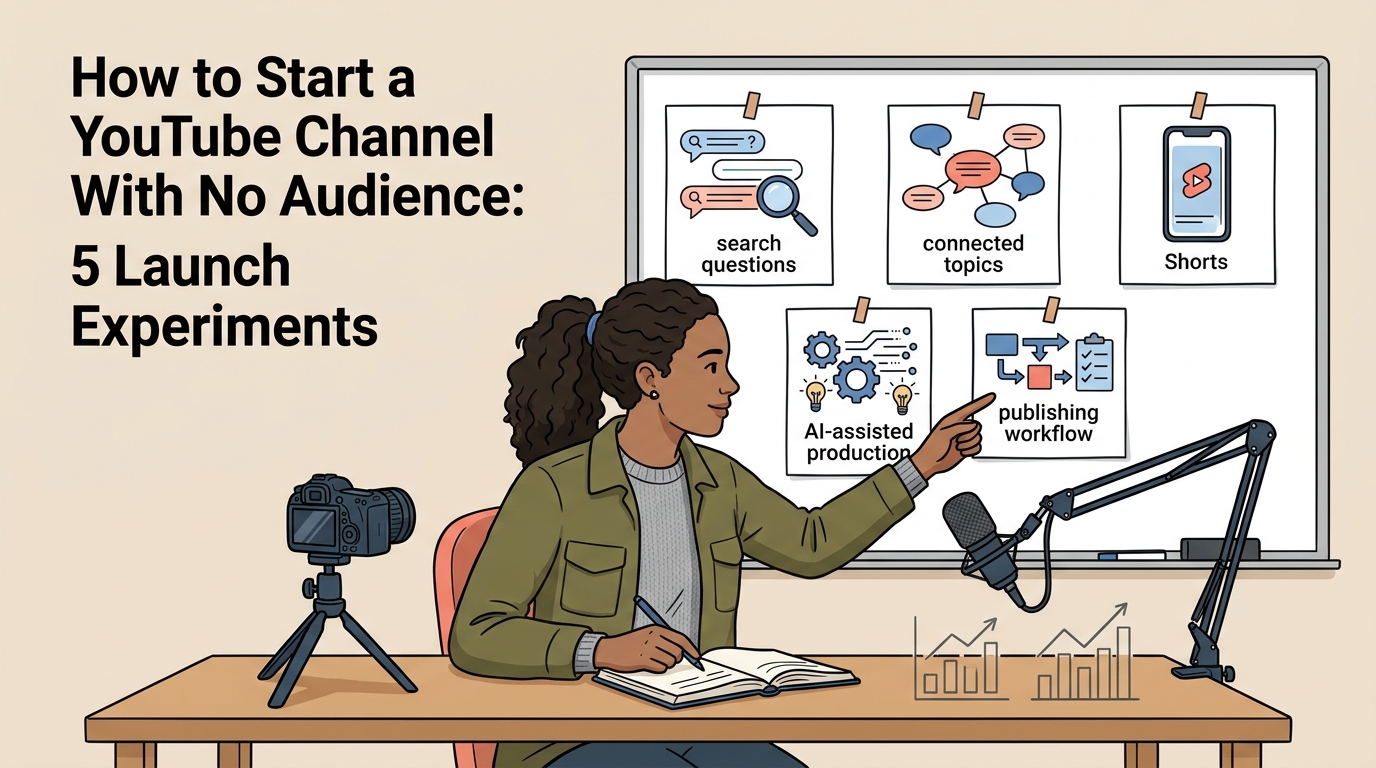
How to Start a YouTube Channel With No Audience: 5 Launch Experiments
Starting from zero is a measurement problem, not a reason to wait. Use these five practical experiments to test search topics, content clusters, Shorts, AI-assisted production, and publishing workflows.
By MillsGuild Editorial · · Updated
How to Start a YouTube Channel With No Audience: 5 Launch Experiments
A new YouTube channel has little historical data to guide its early decisions. You may not know which customer problems attract relevant viewers, which formats hold attention, or whether your production process is practical to repeat.
The first uploads can answer those questions. Treat the launch as a series of controlled learning cycles rather than a final judgment on the channel.
This approach suits solo founders, small businesses, and lean marketing teams. You do not need a large audience to begin learning. You need a specific audience hypothesis, useful videos, and a consistent way to review the results.
Decide what the channel is supposed to do
Before recording anything, choose one primary business outcome. You might want to attract people searching for problems your business solves, educate prospects before a sales conversation, demonstrate a product, build authority in a narrow professional topic, or grow an audience for future offers.
Subscriber growth can be useful, but it should not be the only definition of success. A tutorial watched by a small number of qualified buyers may be more valuable to a business than a broadly entertaining video that reaches many unrelated viewers.
Write a one-sentence channel promise before choosing topics:
This channel helps [specific audience] accomplish [specific result] without [common obstacle].
For example:
This channel helps independent retailers create weekly product videos without hiring a full production team.
Use that sentence as an editorial filter. If an idea does not serve the stated audience and result, save it for another project.
Build a small launch scorecard
YouTube distributes videos through several surfaces, including search, the home page, suggested videos, and the Shorts feed. Each surface reflects different viewer behavior and relevance signals. Subscriber count is one part of the channel context, not a guarantee of exposure or a prerequisite for every discovery opportunity.[1]
Track only the information that can change your next decision:
| Question | Useful measurement |
|---|---|
| Are people finding the video? | Impressions and traffic sources |
| Does the packaging earn attention? | Impressions click-through rate |
| Does the opening deliver on the title? | Early audience retention |
| Does the explanation remain useful? | Average view duration and retention curve |
| Does the video support the business? | Qualified site visits, leads, trials, or relevant inquiries |
| Can the team repeat the process? | Hours, cost, revisions, and publishing errors per video |
Compare uploads with your own baseline. Industry averages often combine different audiences, traffic sources, formats, and video lengths, so they are a poor substitute for channel-specific evidence.
Use the scorecard to run five practical experiments. Each one should produce a decision about what to make, connect, improve, or stop next.
Experiment 1: Answer specific search questions
Start by testing whether your channel can reach people who are already looking for a solution.
Search is not a guaranteed shortcut, and the evidence does not justify assuming that homepage recommendations are unavailable to new channels. It is simply a concrete place to begin because each video can address a recognizable question and can be evaluated by its search impressions and traffic sources.[1]
Specific questions also give you a clearer brief than a broad subject. Compare these ideas:
- Weak: “Email marketing tips”
- Better: “How to write a welcome email for a local service business”
- Weak: “AI video tools”
- Better: “How to turn a product description into a short video with AI”
- Weak: “YouTube SEO”
- Better: “How to choose a YouTube title when your channel has no subscribers”
How to run the test
Collect three real questions from sales calls, support tickets, YouTube or Google suggestions, product onboarding conversations, niche communities, or repeated customer emails. Then create one focused video for each question.
The title should make the problem and intended viewer easy to identify. A useful structure is:
- Confirm the problem and show the result the video will address.
- Explain the process in the order someone would use it.
- Demonstrate the part most likely to cause confusion.
- Name a limitation, tradeoff, or common failure point.
- Suggest the next relevant step.
Do not stretch a four-minute answer into ten minutes. The goal is to satisfy the question, not to reach an arbitrary runtime.
Review the evidence
After the videos have collected enough data to compare, look at search impressions, search traffic, the phrases that led viewers to each upload, click-through rate by traffic source, early retention, and relevant business actions.
Continue with the problem area that combines qualified traffic, viewer interest, and business relevance. A video with fewer views can be the stronger result if its viewers are a better fit.
Experiment 2: Connect a group of videos around one problem
The next question is whether someone who discovers one useful video has a clear reason to watch another.
Early channels often publish unrelated ideas in quick succession. A video about email automation is followed by an AI image-tool review and then general founder advice. That variety may be interesting to the creator, but it gives viewers little context for what to watch next.
A topic cluster creates a more understandable channel without requiring a claim that YouTube rewards a fixed number of related uploads. The value is primarily editorial: related videos can answer adjacent questions and make navigation easier.
How to run the test
Choose one problem from the search experiment and plan four distinct videos around it. For a channel helping small businesses create AI-assisted videos, the set could be:
- How to choose a repeatable short-video format
- How to draft a short-video script with AI
- How to select B-roll without making the video feel generic
- How to review an AI-generated video before publishing
Each video should add something new. Four lightly rewritten versions of one script are not a cluster, they are repetition.
Connect the videos where that helps the viewer:
- Place them in a clearly named playlist.
- Mention the next logical video near the end.
- Use an end screen for the relevant continuation.
- Add related links to the description without filling it with unrelated destinations.
Decision criteria
Expand the cluster when viewers move between the videos, use the playlist, click an end screen, return for another upload, or ask follow-up questions that the cluster can answer. These signals show that the videos function as a connected resource. They do not prove that clustering alone creates algorithmic authority.
If one subtopic consistently loses attention or attracts viewers who are not relevant to the channel, change its framing or leave it out of the next batch.
Experiment 3: Give Shorts a natural next step
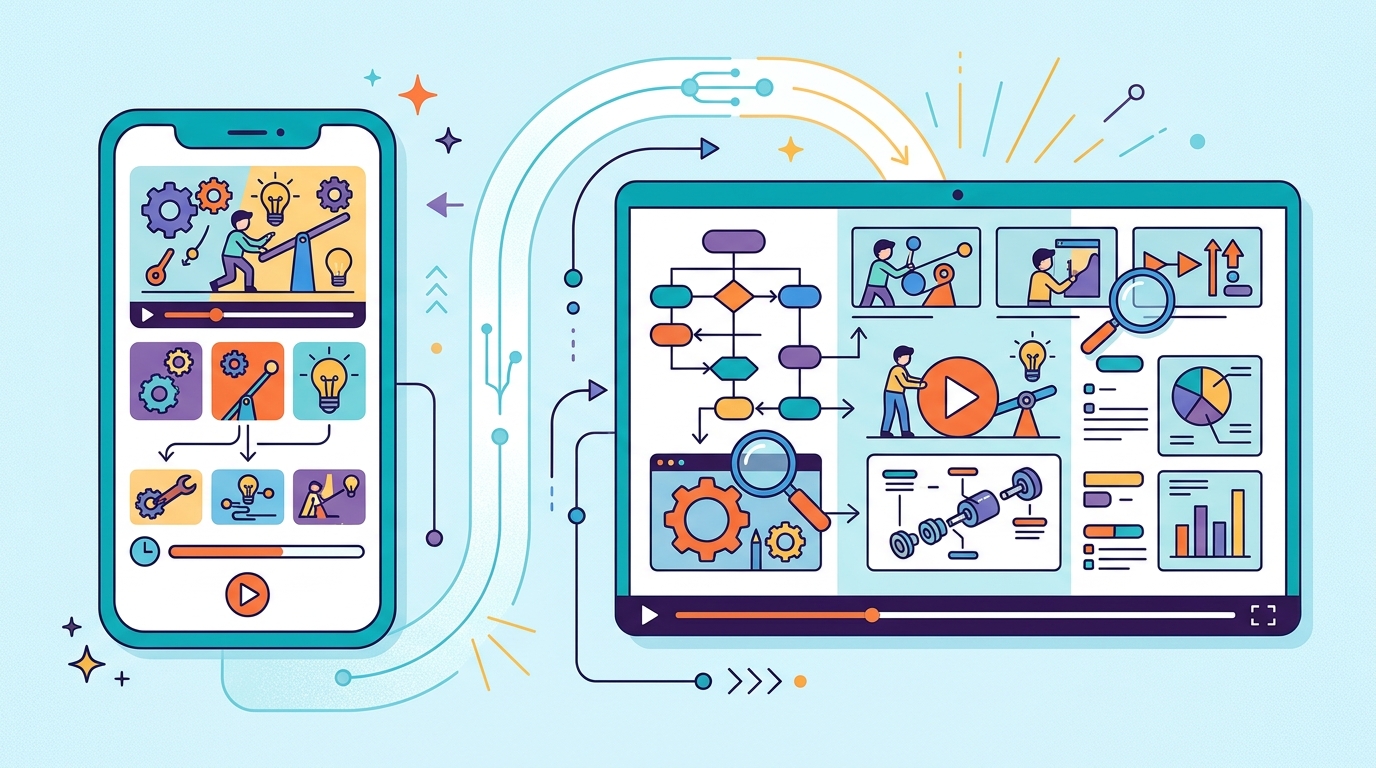
Shorts can introduce a topic, but a view on a Short does not automatically indicate interest in a detailed tutorial, product explanation, or business offer. The viewing context may be different, so the connection needs to be tested rather than assumed.
YouTube's related-video feature allows eligible creators to connect a Short with another video from the same channel. That creates a direct route to a longer explanation, but the route still needs to provide a reason to continue.[2]
Build the bridge
Start with one useful long-form video. Create three Shorts that approach its subject from different angles:
- The result: Show what the workflow produces.
- The mistake: Explain one error that prevents the result.
- The decision: Compare two approaches and explain when each is appropriate.
Each Short should stand on its own. Do not remove the answer simply to force a click. Solve one small part of the problem, then explain that the linked video covers the complete process.
For example, a long-form video might explain how to create a weekly product-video system. One Short could show a simple script template. Another could demonstrate why generic AI B-roll weakens a product demonstration. A third could compare voiceover and on-camera formats.
Link each Short to the same long-form resource when the related-video feature is available to your channel.
Review the route, not just the reach
Check whether viewers stayed through the main point, visited the related video, continued watching it, subscribed, or took a relevant business action. Keep the framing that sends qualified viewers deeper into the channel, even if another Short receives more casual views.
If a Short gets attention but sends almost nobody to the longer video, treat that as a finding. The topic may attract casual interest, the connection may be unclear, or the long-form video may not feel like the promised next step.
Experiment 4: Compare AI assistance with human review
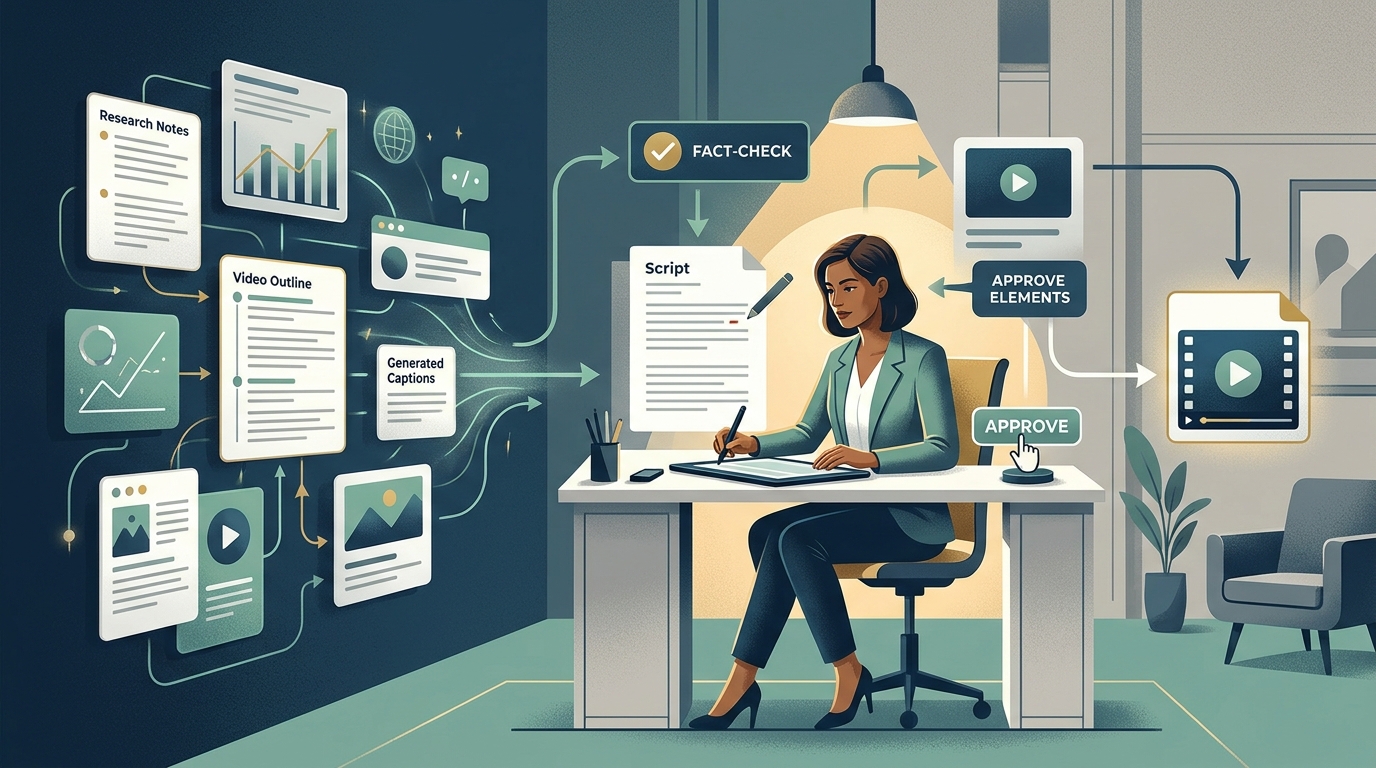
AI can reduce work in some production stages, but it can also move the work into fact-checking, visual replacement, pronunciation correction, or script editing. The useful question is not whether AI is involved. It is where assistance saves time without weakening accuracy, originality, or trust.
YouTube's monetization guidance distinguishes original, useful material from mass-produced or repetitive content. In July 2025, YouTube renamed its “repetitious content” policy “inauthentic content” to clarify its treatment of repetitive or mass-produced videos. AI use is not automatically disqualifying, but minimally varied template content can create monetization problems.[3]
YouTube also requires disclosure in certain cases involving realistic content that has been meaningfully altered or synthetically generated. Review YouTube's current altered-content disclosure guidance before publishing realistic synthetic people, events, or scenes.[3]
Run a fair comparison
Use AI for defined production tasks across two comparable pairs of videos. For example:
| AI-assisted task | Human validation task |
|---|---|
| Organize research notes | Verify every material claim |
| Draft an outline | Add original analysis and examples |
| Suggest title variations | Confirm that the title represents the video accurately |
| Create a first script draft | Rewrite for natural speech and audience context |
| Suggest visuals or B-roll | Remove irrelevant, misleading, or repetitive assets |
| Generate captions or transcripts | Correct names, terminology, and technical details |
| Repurpose a long video into short concepts | Decide what remains useful outside the original context |
In one pair, keep AI's role light by using it for research organization, outlining, and formatting. In the other, allow it to produce more of the initial script and visual plan. Apply the same human review standard to both.
Record the work involved. The point is to learn which stages benefit from assistance and which stages create more correction than they save.
Keep only the useful assistance
Track production time, factual corrections, script revisions, visual replacements, opening retention, comments indicating confusion or distrust, and cost per finished video. If synthetic narration is part of the test, judge it in context. Clear direction may suit some formats, while flat delivery or incorrect pronunciation can weaken a tutorial.
Retain AI in stages where it reduces time or rework without lowering quality. Remove it from stages where the output repeatedly needs extensive correction. A sustainable workflow is not the one with the most AI. It is the one that preserves accuracy and a recognizable point of view.
Experiment 5: Find the publishing bottleneck
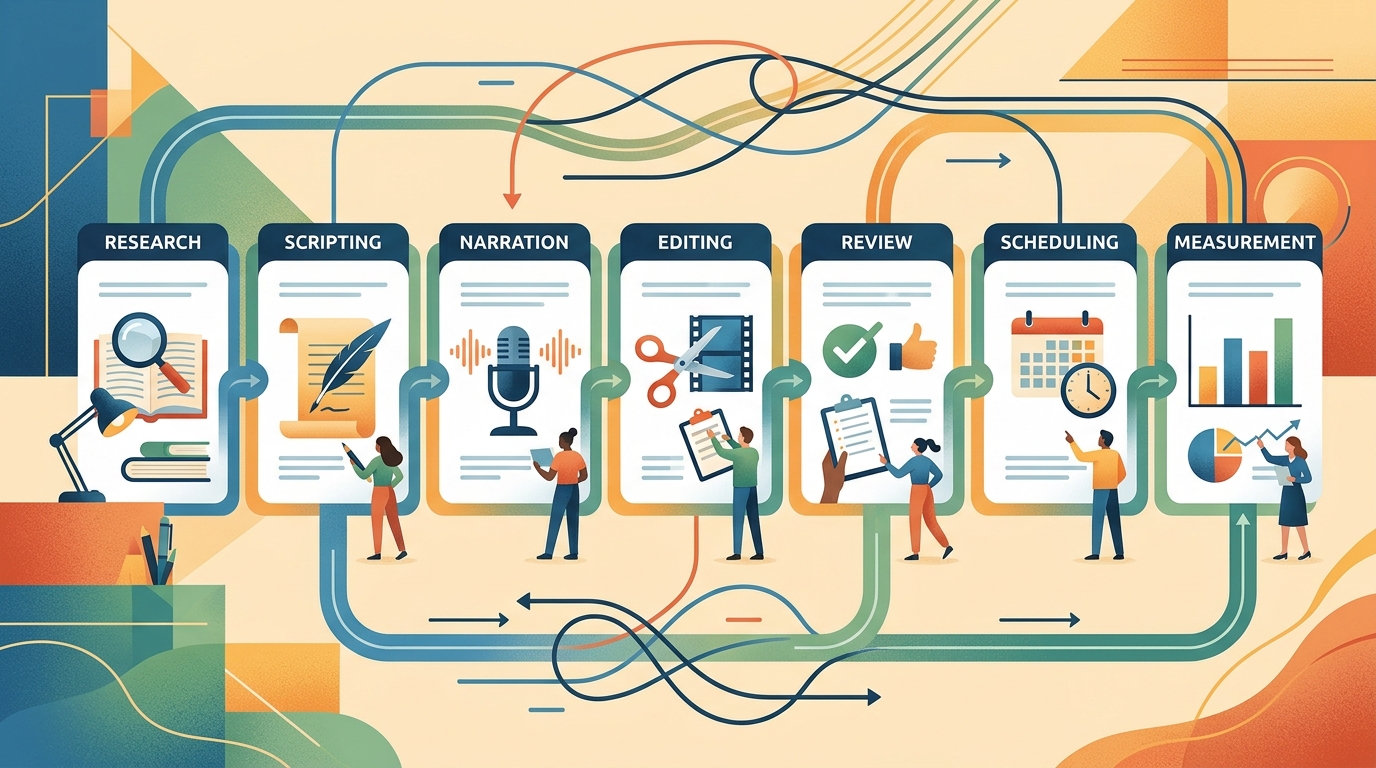
A channel can have good ideas and still fail because publishing requires too many disconnected steps. Research, scripting, narration, editing, captions, approvals, scheduling, and analytics may each happen in a separate tool. Every handoff creates another opportunity for missing context, duplicate work, or an incorrect export.
This experiment measures that friction instead of treating it as an unavoidable part of content marketing.
Map one complete production cycle
Record every step required to publish one long-form video and its supporting Shorts:
- Capture the audience question.
- Research the answer and verify sources.
- Build the outline.
- Draft and review the script.
- Record or generate narration.
- Produce and edit the video.
- Create the title, thumbnail, and description.
- Review policy and disclosure requirements.
- Publish or schedule the assets.
- Record initial performance data and lessons.
For two production cycles, note time spent in each tool, files exported, manual data entry, review delays, failed publishing steps, subscription costs, and work that must be repeated for another platform.
MG Social Studio is designed to support integrated research, short-form video, blog creation, publishing workflows, and Growth Copilot recommendations. It can help reduce unnecessary handoffs while leaving review and publishing decisions under human control.
Decide whether the change helped
Compare the simplified workflow with the original. Look at production time per finished asset, manual handoffs, rework caused by missing context, publishing errors, schedule reliability, and the quality of final review.
Keep the change only if it reduces friction without hiding an important review step. Faster publishing is not an improvement if it increases factual errors, weakens brand consistency, or produces repetitive content.
A practical 30-day launch plan
You can run the experiments sequentially or overlap them within a small production batch.
Week 1: Define the test
- Write the channel promise.
- Choose one business outcome.
- Collect ten real audience questions.
- Select three narrow search-first topics.
- Establish the scorecard.
Week 2: Publish the first answers
- Produce and publish three focused videos.
- Keep the format simple enough to repeat.
- Record time, revisions, and production costs.
- Avoid changing several variables after every early view.
Week 3: Connect the strongest topic
- Choose the most promising problem area.
- Plan related follow-up videos.
- Create Shorts that lead naturally to one deeper resource.
- Connect the videos through playlists, descriptions, and end screens.
Week 4: Review the system
- Compare traffic sources and retention patterns.
- Identify which topics brought relevant viewers.
- Review where AI saved time and where it created rework.
- Remove unnecessary workflow steps.
- Plan the next batch around what you learned.
Thirty days will not identify a permanent winning format. It can reveal weak assumptions before you build an expensive content operation around them.
What YouTube automation should mean for a small team
Useful automation removes predictable administrative work. It can organize research, format drafts, create initial asset variations, prepare a publishing queue, and bring performance information into a consistent review process.
It should not mean publishing unverified scripts, imitating experts, manufacturing engagement, or producing dozens of barely varied videos. AI-assisted production still needs a person responsible for topic selection, factual verification, original analysis, brand and policy review, final approval, and decisions based on performance data.
That model is less glamorous than a fully autonomous channel, but it is more practical for a business whose reputation matters.
Frequently asked questions
Can a new YouTube channel get views without subscribers?
Yes. YouTube can surface videos through search, recommendations, suggested videos, and the Shorts feed. Subscribers may contribute to repeat viewing, but they are not a prerequisite for every discovery surface. Exposure is not guaranteed, so focus on relevance, clear packaging, and viewer satisfaction.[1]
Should a new channel start with Shorts or long-form videos?
Choose based on the viewer's problem. Shorts suit concise ideas, demonstrations, and initial awareness. Long-form video is better when the viewer needs a complete process, comparison, or explanation. Testing both is useful when each Short has a clear relationship to the longer resource.
Can an AI-generated YouTube video be monetized?
Using AI does not automatically make a video ineligible. YouTube's monetization review considers whether content is original and useful or mass-produced and repetitive. Channels should also follow applicable altered-content disclosure requirements.[3] Monetization decisions remain subject to YouTube's current policies and channel review.
How many videos should I publish before judging the channel?
There is no universal number. A small group of videos within the same problem area gives you more context than a single upload, but it is not a guaranteed rule for success. Compare a coherent batch, then make one deliberate change in the next batch.
Do I need expensive equipment?
Not necessarily. Clear audio, readable visuals, accurate information, and a useful structure matter more than building a complex studio before you know which format works. Upgrade equipment when a specific production limitation becomes clear.
Start with a learning system, not a content treadmill
A new channel gives you room to test before an established format becomes difficult to change. Use that flexibility to answer real questions, connect related resources, compare short and long formats, measure the actual contribution of AI, and fix workflow problems as they appear.
If you want to manage research, creation, publishing workflows, and performance recommendations with fewer disconnected tools, start creating with MG Social Studio.
Results vary. AI-generated recommendations and content should be reviewed before publishing.