AI Avatar Platforms
Synthesia vs. Colossyan: Which Is Better for Training and Product Demos?
Synthesia is the stronger choice for polished product walkthroughs, while Colossyan is better suited to interactive training and LMS delivery. Here is how their workflows, limitations, and plan requirements compare.
By MillsGuild Editorial ·
Synthesia vs. Colossyan: Which Is Better for Training and Product Demos?
Synthesia and Colossyan both turn scripts into presenter-led AI videos, but the production workflow matters more than the avatar library.
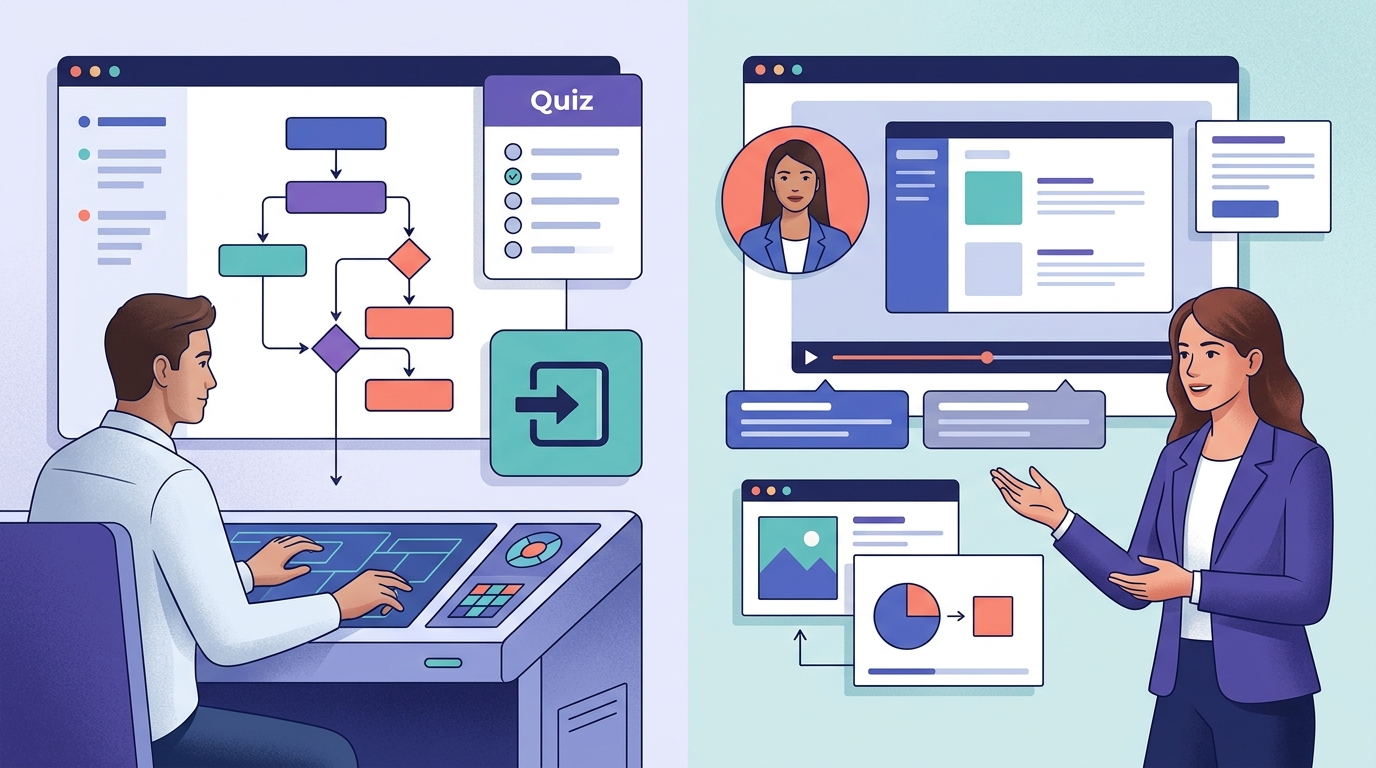
Colossyan is the more practical option when a training team needs quizzes, branching scenarios, course structure, or SCORM delivery. Synthesia is better suited to product demos, software walkthroughs, and external communications where screen capture and presentation quality are central.
The comparison focuses on what happens before and after the video is rendered: how teams build content, deliver it, revise it, and measure its use.
Synthesia vs. Colossyan at a glance
| Decision factor | Synthesia | Colossyan |
|---|---|---|
| Best overall use | Product demos, communications, marketing videos | Employee training, onboarding, compliance content |
| Screen-based product walkthroughs | Stronger integrated workflow | Available, but less central to the platform |
| Interactive learning | Limited compared with a dedicated course workflow | Native quizzes, branching, and structured learning features |
| SCORM delivery | Associated with enterprise-level access on Synthesia's pricing page | Listed on the Professional plan on Colossyan's pricing page |
| Course creation from documents | Can generate videos from source material | Designed to turn documents and presentations into learning content |
| Marketing integrations | Broader emphasis on marketing and content workflows | Greater emphasis on learning platforms and authoring tools |
| Social media use | Better of the two for polished, presenter-led clips | Better suited to instructional content |
| Main limitation | Important training and localization features may require higher plans | Entry-level output and marketing flexibility can be restrictive |
Pricing and plan entitlements change frequently. The plan comparisons in this article reflect the structures available during research, not a permanent pricing guarantee. Confirm SCORM, translation, API access, collaboration seats, generation limits, and watermark removal on the current Synthesia pricing page and Colossyan pricing page before subscribing.
Colossyan’s training workflow
Colossyan treats video as one part of a learning experience. Its platform is built around training content, interactive lessons, and delivery into learning management systems.
For teams that need completion and assessment results recorded, a conventional MP4 is not enough. A video can explain a workplace policy, but it cannot independently record whether an employee answered a knowledge check correctly or completed an assigned module. Training teams often need course structure and learner tracking in addition to a presenter on screen.
Native quizzes and branching scenarios
Colossyan’s product materials describe interactive elements such as quizzes and branching scenarios. A learner can be shown different content based on a choice instead of watching the same linear video from beginning to end.
For example, a customer-service lesson could present an unhappy customer and ask the learner to choose a response. The next scene can then explain the consequences of that choice. These scenes fit role-play, safety training, sales coaching, and policy education more directly than a passive presentation.
Colossyan also supports multi-presenter scenes, which can help simulate conversations. This is useful when the material depends on dialogue, such as a manager demonstrating how to handle a difficult performance discussion.
Synthesia can produce presenter-led dialogues and supports interactive videos on higher plans, but its core video workflow is not a complete assessment and course-authoring environment. A training team may still need separate learning software for scored assessments and completion tracking.
SCORM is a practical dividing line
SCORM is a standard used to package course content for compatible learning management systems. If an organization needs to record completion or assessment results, SCORM access can determine which platform is viable.
Colossyan’s pricing page lists SCORM export on its Professional plan, while Synthesia’s pricing materials associate SCORM with enterprise access. Colossyan may therefore suit smaller training teams that need LMS tracking without immediately entering a negotiated enterprise contract.
These entitlements require current verification. SCORM access may include publishing allowances or other restrictions, and a SCORM package is not guaranteed to work with every LMS configuration. A test import should be part of the buying process.
Building courses from existing material
Colossyan can use documents and presentations as source material for creating structured training content. Its course-oriented workflow can draft scenes, knowledge checks, and learning sequences from existing materials.
The workflow can shorten the first production pass, but the generated course still needs human review. A policy document is not automatically a good lesson. Someone should verify the facts, remove irrelevant passages, adjust difficulty, and confirm that quiz questions measure the intended behavior.
This is particularly important for compliance, health, financial, or safety content. AI can help transform approved material, but it should not become an unsupervised policy author.
Synthesia’s product-demo workflow
Product marketing usually has a different production brief. The goal is to show a feature clearly, keep the visuals moving, and publish the result to a website, help center, sales deck, or video channel.
Synthesia fits that workflow more closely, especially when the demonstration includes a software interface.
A capable screen-recording workflow
Synthesia’s AI screen recorder combines screen capture with an editable script workflow. Its feature materials describe automatically splitting recordings into editable scenes and removing filler words such as “ums” and “uhs,” which can reduce manual cleanup.
Consider a small software company announcing a new reporting dashboard. A marketer could record the process, edit the transcript, and use the screen-focused editing workflow to make important interface elements easier to follow without manually rebuilding every edit.
These uses include:
- Feature announcements
- Help-center videos
- Sales enablement clips
- Onboarding walkthroughs
- Frequently asked product questions
Colossyan also includes screen recording inside its editor. Its official workflow emphasizes trimming recordings, zooming into key details, and combining captures with narration, avatars, and other scenes. That makes it useful for instructional videos and product walkthroughs, although screen recording is less central to Colossyan’s training-first positioning.
Alignment with external-facing video
Synthesia emphasizes presenter videos, templates, localization, and conventional video publishing. That makes it suitable for assets used across a landing page, YouTube channel, knowledge base, email campaign, or internal communication portal.
A polished template does not make every Synthesia video an effective advertisement. AI avatars can still look too formal for a casual social feed, and a polished corporate presentation may perform differently from creator-style footage. The platform is a better match for explainers and product communication than for high-volume, user-generated-content-style ad testing.
A narrated product video is also different from an interactive product demo. If prospects need to click through a simulated interface, follow tooltips, and experience the workflow themselves, dedicated interactive demo software may be a better fit. Synthesia is designed to show the product, not recreate it.
Avatar quality and localization
Both platforms provide stock presenters, custom-avatar options, synthetic voices, and multilingual production. Either can help a business produce localized content without coordinating a new recording session for every language.
Synthesia’s published product materials list a broader stated language and voice catalog. Published Colossyan language totals vary across company and third-party materials, partly because some counts include dialect or voice variants. Buyers should verify their exact language, accent, and voice requirements rather than relying on the largest headline number.
Access matters as much as language count. The plan structures compared here place some of Synthesia’s streamlined translation features on enterprise access, while Colossyan lists auto-translation allowances on self-service plans. Confirm the current entitlement before purchase because plan packaging can change.
A small company localizing internal training may therefore find Colossyan more accessible even if Synthesia supports more languages overall. A global marketing department that needs a wider selection of voices may prefer Synthesia.
Before committing, generate the same short script in each required language. Ask a native speaker to check:
- Pronunciation of product and industry terms
- Stress and pacing
- Translation accuracy
- Lip synchronization
- Tone and regional appropriateness
A long language list is of little value if your company name or core product terminology is pronounced incorrectly.
Automation and integrations
Both platforms can participate in automated video workflows. Their integration priorities are different, however.
Synthesia’s integration catalog has a stronger marketing and business-content orientation. The catalog includes connections involving tools such as HubSpot, WordPress, Shopify, Workato, and YouTube. Colossyan’s integration catalog places more emphasis on learning platforms, authoring tools, distribution, and Zapier automation.
Through Synthesia’s Zapier integration guide, a business can connect video creation to events in other applications. A workflow might begin when a lead changes status in a CRM, insert approved fields into a video template, and route the generated asset to another system. The exact triggers, actions, and access requirements should be checked in the current integration documentation.
Colossyan also supports Zapier. Its official integrations page describes Zapier connections for triggering video creation and lists learning, authoring, and distribution integrations. Confirm the specific app and action you need before designing an automated process.
Automation should not mean unsupervised publishing. Names, prices, claims, and translated scripts should be validated before a generated video reaches a customer. It is safer to automate preparation and routing while keeping approval as a human step.
Pricing: compare the usable plan, not the cheapest plan
The lowest advertised subscription is not necessarily the real entry price for your workflow.
A training buyer should confirm whether a plan includes:
- SCORM export
- Interactive questions and branching
- LMS-compatible publishing
- Translation
- Enough editor seats
- Sufficient monthly generation time
A product marketer should check screen-recording access, watermark removal, brand controls, aspect ratios, download options, integrations, and monthly generation allowances.
This is especially important with Colossyan because the pricing structure reviewed for this comparison places watermark removal on the Professional plan rather than the free Starter plan. A plan that produces more minutes can still be unsuitable for customer-facing work if the exported video carries platform branding. Verify the current restriction on the pricing page.
Synthesia’s self-service plans may look more accessible, but advanced translation, SCORM, API access, or custom-avatar requirements can move a team into a higher tier. Generation credits also need attention because dubbing and other advanced actions may consume allowances differently from standard video creation.
Custom studio avatars should be budgeted separately. They generally require additional setup and cost more than using stock presenters. Unless a recognizable spokesperson is central to the project, it is sensible to validate the workflow with stock avatars before investing in a custom one.
Which platform should you choose?
Choose Colossyan if:
- Your primary output is employee or customer training.
- You need quizzes, branching scenarios, or structured courses.
- SCORM export is required without moving immediately to an enterprise contract, subject to current plan verification.
- You want to turn manuals, presentations, or policy documents into learning modules.
- Your integrations revolve around an LMS or authoring platform.
Choose Synthesia if:
- Your priority is product demos or software walkthroughs.
- Screen capture is central to your production process.
- You need polished videos for marketing, sales, support, or corporate communications.
- You want broader marketing and content-automation integrations.
- A large voice and language catalog is more important than native course assessment.
Consider another category of tool if:
- You need a clickable product simulation rather than a narrated video.
- Your main goal is producing large batches of casual social ads.
- You need timeline-level editing comparable to professional desktop software.
- You want cinematic footage without relying on avatar-led presentation.
For teams with both training and marketing requirements, use the non-negotiable delivery requirement as the tie-breaker. If the project must report learner completion or assessment results through an LMS, test Colossyan’s current SCORM workflow first. If the project will be judged mainly by the clarity of a software walkthrough and the quality of the exported presentation, test Synthesia’s screen-recorder workflow first.
A practical trial checklist
Do not evaluate these platforms using a generic sample script. Build the same real project in both tools.
For training, create a five-minute module with one branching decision, one scored question, a translation, and an LMS export. For product marketing, record a real workflow, correct the transcript, update one product term, add captions, and export horizontal and vertical versions.
A matched trial exposes the issues that feature tables tend to hide:
- How long did the first usable draft take?
- Could a non-specialist revise it without breaking the layout?
- Did pronunciation corrections persist across scenes and languages?
- What happened when one sentence or screen changed?
- Which subscription would actually support monthly production?
- Did the final result fit the destination, whether that was an LMS, help center, landing page, or social channel?
That test will reveal more than a comparison of avatar-library sizes.
Frequently asked questions
Is Synthesia or Colossyan better for employee training?
Colossyan is generally the better fit when employee training requires quizzes, branching scenarios, structured course creation, or SCORM export. Synthesia remains useful when the requirement is a polished training video rather than a complete tracked learning module.
Is Synthesia better for product demos?
It is a strong fit for narrated software walkthroughs. Its integrated screen recorder, editable scene workflow, and automatic filler-word removal align well with product demonstrations and feature announcements.
Can Synthesia and Colossyan automate social media videos?
Both can be connected to other applications through services such as Zapier. Synthesia has a stronger marketing and content-automation emphasis, but neither platform should be treated as a fully autonomous social media system. Scripts, claims, translations, and final renders still need review.
Can either platform replace a learning management system?
Not necessarily. Colossyan can create and package interactive training, but an LMS may still be needed to assign courses, manage learners, retain records, and produce organization-wide reports. Synthesia primarily creates video assets and may require additional learning software for assessments and detailed tracking.
Sources
Sources
- https://www.synthesia.io/pricing
- https://www.synthesia.io/features/ai-screen-recorder
- https://docs.synthesia.io/docs/synthesia-integrations
- https://docs.synthesia.io/reference/guide-synthesia-zapier
- https://www.colossyan.com/pricing/
- https://www.colossyan.com/
- https://www.colossyan.com/features/screen-recording/
- https://www.colossyan.com/integrations/